How to Use AI to Remember Social Science Dates and Historical Events Easily (CBSE Guide)

How to Use AI to Remember Social Science Dates

If you are wondering how to remember History dates with AI, you are not alone. It’s a familiar moment during every Social Science exam. You understand the chapter perfectly and can explain the event in your own words — but the moment you write the year, your mind goes blank. Was Jallianwala Bagh in 1919 or 1920? One forgotten date can cost marks, even when your understanding is spot on. The problem isn’t that History is hard. It’s how most of us try to learn it — reading the same dates again and again, underlining them in different colours, hoping repetition will make them stick. It rarely does. The brain remembers stories, patterns and connections far better than isolated numbers. This is where AI can become more than just an answer machine. Most students use tools like ChatGPT or Gemini only to get summaries — but used the right way, AI can turn confusing timelines into simple stories, build personalised memory tricks, and generate flashcards and quizzes that make dates genuinely easy to remember. This guide isn’t about shortcuts. It’s about using AI as a memory coach — one that helps you understand an event first, so the date sticks naturally. If you’re preparing for CBSE Class 9 or 10 boards, these methods can make your Social Science revision far more organised, and a lot less stressful. These strategies aren’t just for History; they are cross-disciplinary tools you can apply to Geography facts, Political Science amendments, or Economic milestones. Also Read: Best AI Tutors for CBSE Students (2026): 7 Smart Tools for Smarter Learning See the Method in Action: From Jallianwala Bagh (1919) to the Revolt of 1857 Instead of just telling you to “ask AI for a story,” here’s what that actually looks like. The story version: On Baisakhi day, a crowd gathers peacefully in a walled garden in Amritsar to protest new British laws. General Dyer blocks the only exit and orders his soldiers to fire, without warning, into the unarmed crowd. Hundreds die. The massacre turns Indian public opinion firmly against British rule and pushes leaders like Gandhi toward mass movements. The memory trick: Baisakhi (spring, new beginnings) turning into bloodshed is the twist that makes 1919 memorable — a peaceful festival gathering meeting the harshest British response yet. The flashcard: Front — “Jallianwala Bagh.” Back — “1919, Amritsar, Dyer, turning point against British rule.” The quiz question: “What festival was being marked when the Jallianwala Bagh massacre happened?” This one detail anchors the date in your memory far better than the number alone. Once you see how one event breaks down this way, you can run any other event — the Revolt of 1857, the Quit India Movement of 1942, the Non-Cooperation Movement — through the exact same four steps: story, trick, flashcard, quiz. One More Example: The Revolt of 1857 The same approach works for every major event in your syllabus. Take the Revolt of 1857, for example. The story version: Indian soldiers, known as sepoys, were already unhappy with low salaries, poor treatment and growing British control. The introduction of the new Enfield rifle cartridges, believed to be greased with cow and pig fat, sparked widespread anger. What began as a military uprising soon spread across different parts of northern India and became one of the biggest challenges to British rule. The memory trick: Think of 1857 as the year when scattered anger finally turned into open rebellion. Instead of remembering only the number, connect it with the beginning of India’s first large-scale revolt against British rule. The flashcard: Front — Revolt of 1857Back — 1857 | Sepoy uprising | Beginning of the First War of Independence | Major challenge to British rule. The quiz question: What issue related to the Enfield rifle cartridges triggered the Revolt of 1857? Once you practise a few events this way, you will realise that remembering dates becomes much easier because every year is attached to a story, a reason and an important outcome—not just a number in your textbook. Also Read: Fear of Mathematics? How Indian Students Can Use AI to Understand Difficult Math Concepts Build the Timeline Before You Memorise the Dates One of the biggest mistakes students make is trying to memorise dates one by one. They begin highlighting years in the textbook without first understanding how those events are connected. A few days later, everything starts to feel mixed up because the brain is trying to remember isolated numbers instead of a sequence of events. Before you focus on individual dates, spend a few minutes understanding the timeline of the entire chapter. Once you know what happened first, what happened next, and why one event led to another, remembering the years becomes much easier. Instead of memorising ten separate facts, your brain remembers one continuous story. This is where AI can save a lot of time. Rather than reading the chapter repeatedly and creating your own timeline, you can ask ChatGPT or Gemini to organise the entire chapter into a simple year-wise sequence. Make sure the timeline is easy to read and includes only the most important events so that you are not overwhelmed with unnecessary details. Try this prompt: Create a simple year-wise timeline of the CBSE Class 10 History chapter “Nationalism in India”. Include only the most important events in chronological order. Explain each event in one simple sentence that a Class 10 student can easily understand. Once the timeline is ready, read it from top to bottom two or three times. You will notice that the dates no longer feel random. They become milestones in a journey, making them much easier to recall during revision and in the examination hall. Also Read: The End of the Guess Paper: How AI is Predicting Board Exams in 2026 Let AI Create Memory Tricks That Actually Work Some dates refuse to stay in your memory no matter how many times you read them. If that happens, the problem is not your memory—it is … Read more


Best AI Tutors for CBSE Students (2026): 7 Smart Tools for Smarter Learning

Best AI Tutors for CBSE Students

It’s past 11 PM, and a CBSE Class 11 student is staring at the same rotational motion problem she has been trying to solve for over an hour. Her tuition teacher isn’t picking up the phone. Her parents want to help but haven’t studied Physics in years. Even the answer key at the back of her guidebook gives nothing more than the final answer, with no explanation of how to get there. That’s the real story of AI tutoring in 2026, and it has very little to do with which app has the flashiest homepage. It’s not that AI has replaced teachers. It’s that, for the first time, a student in a small town with a decent phone and patchy internet can get something close to what a well-off student in Delhi or Bangalore has always taken for granted — someone, or something, to ask “why” at midnight and actually get an answer. This isn’t just a trend students are chasing on their own, either. CBSE itself rolled out an official AI and Computational Thinking curriculum for Classes 3 to 8 starting the 2026-27 session, with Classes 9 and 10 expected to get their own version from 2027-28. The board isn’t teaching AI as a separate coding subject — it’s teaching students to think alongside it, right from the primary years. Read between the lines and the message is simple: CBSE has already decided AI literacy isn’t optional anymore. The tools below are just where that shows up first, for students already sitting board exams today. Unlike a traditional search engine that simply lists information, an AI tutor can explain the same concept in different ways, adjust its explanations based on your questions, and even generate practice problems to help you improve. That’s what makes these tools different from simply searching for an answer on Google. Here’s what I found, organised around the problems students actually run into, not a ranked “best to worst” list. The honest answer is that no single tool does everything well. Match the tool to the problem you actually have, and you’ll get far more out of this list than you would from downloading all seven at once. Also Read: Fear of Mathematics? How Indian Students Can Use AI to Understand Difficult Math Concepts 1. Physics Wallah (Ask AI) Best for: Students who prefer learning through conversation in Hindi or Hinglish. Physics Wallah has built a strong reputation among CBSE and JEE students, and its Ask AI feature extends that experience beyond recorded lectures. Instead of reading long blocks of text, students can ask questions naturally and receive explanations in a conversational style that feels closer to speaking with a teacher than using a search engine. This makes it particularly useful when you’re stuck on a Physics numerical or a tricky Maths concept late at night and simply need someone to explain why a step works instead of showing only the final answer. What I liked Things to keep in mind Best suited for: Students who regularly need quick explanations while studying at home. Also Read: Best AI Tools for CBSE Science Students in 2026 2. Eduro Best for: Students who want to understand concepts instead of memorising answers. Many AI chatbots can solve a question in seconds, but very few actually help students understand why the solution works. That’s where Eduro feels different. Instead of immediately revealing the answer, it follows a guided learning approach. It asks questions, gives hints, and encourages students to think before moving to the next step. This teaching style can be especially useful for CBSE students because board exams increasingly test conceptual understanding rather than simple memorisation. If you often feel confident while reading a chapter but struggle to solve new questions on your own, Eduro can help bridge that gap. One feature I particularly liked is that it generates additional practice questions after explaining a concept. Instead of stopping after one solution, you get a chance to apply what you’ve just learned, which is exactly how real learning happens. What I liked Things to keep in mind Best suited for: Students preparing for CBSE board exams who want stronger concepts rather than quick answers. Also Read: ChatGPT Just Dropped 70+ Interactive Math & Science Visualizations — Here’s Every Topic Covered & How to Use It Before… 3. Ask DIKSHA (Ministry of Education) Best for: Students who want learning aligned with official NCERT content. When preparing for CBSE board exams, most teachers repeatedly say one thing—don’t ignore NCERT. That’s exactly why Ask DIKSHA deserves a place on this list. Unlike many commercial AI platforms, Ask DIKSHA is connected to India’s official digital learning ecosystem. It focuses on textbook-based learning and supports multiple Indian languages, making it a reliable choice for students studying in different regions of the country. If your goal is to understand an NCERT concept, revise textbook chapters, or stay close to the official syllabus, this is probably one of the safest platforms to begin with. What I liked Things to keep in mind Best suited for: Students who want trustworthy, syllabus-focused learning without unnecessary distractions. 4. GyanTutor Best for: Personalised practice and board-style mock tests. One of the biggest challenges in board exam preparation is identifying your weak areas. Most students keep solving random questions without knowing which chapters actually need more attention. GyanTutor tries to solve this problem by analysing your performance over time. Instead of giving every student the same set of questions, it focuses more on the topics where you’re making repeated mistakes. I also found its mock test approach useful because regular practice under exam-like conditions often improves confidence far more than simply rereading notes. What I liked Things to keep in mind Best suited for: Students preparing for Class 10 or Class 12 board examinations who want structured practice. 5. YoLearn Best for: Smart revision and long-term memory retention. Many students spend hours preparing a chapter, only to realise a few months later that they’ve forgotten most of it. Revision … Read more

Google NotebookLM + Notion AI: A Complete AI Study System for Students (Build Your Second Brain)

Google NotebookLM + Notion AI

A few months ago, I asked a student a simple question: “Where do you keep your study notes?” His answer stopped me for a second. “Some are in ChatGPT chats. A few are in Google Docs. Some I saved on WhatsApp. My PDFs are somewhere in Downloads. Honestly, I have no idea where everything is.” What made it striking was how unsurprised I was. I have heard some version of that answer from dozens of students. AI has made it easier than ever to get information — but nobody told us what to do with it afterward. So most students end up with a scattered mess of summaries, screenshots, and saved chats that feel useful in the moment and become useless a week later. That is not a study system. It is a very organized form of chaos. For a while, I had the same problem. I was using ChatGPT constantly — for summaries, explanations, practice questions. It worked brilliantly right up until the moment I needed to find something I had learned three weeks ago. Old chats buried under new ones. Useful explanations impossible to locate. I was not building knowledge. I was generating and losing it in the same motion. The fix was not finding a better AI tool. It was creating a workflow where two tools — Google NotebookLM and Notion AI — each did the job they were actually built for. One for understanding. One for organizing. Together, they do what no single app has ever managed for me: they make studying feel like it is going somewhere. The Hidden Problem With Studying Using AI Tools like ChatGPT, Gemini, and Claude have made studying faster than ever. Need a summary? Ask AI. Need an explanation? Ask AI. Need practice questions? Ask AI. The answers arrive instantly. But after helping hundreds of students, I’ve noticed something interesting. Most students are getting better at collecting information, but not necessarily better at learning. By exam season, they have dozens of AI-generated summaries, multiple PDFs, screenshots, lecture recordings, and bookmarked resources. Yet when they sit down to revise, finding the right information becomes a challenge. AI solved the information problem. It didn’t solve the organization problem.That’s why many students feel productive throughout the semester but still feel overwhelmed before exams. The Study System That Actually Worked After experimenting with different tools, I found a workflow that consistently helped students stay organized while still taking advantage of AI. I started using NotebookLM for learning. And I used Notion AI for organizing. That simple division changed everything. it became the place where I explored information, asked questions, compared sources, and understood concepts. Notion became the place where I stored insights, planned revisions, tracked progress, and prepared for exams. Together, they created something most students don’t have: A study system. Why NotebookLM Feels Different Most AI tools answer questions from their general training — which means you get a confident, well-written response that may or may not match your actual syllabus. NotebookLM works differently, and the difference matters more than it sounds. You upload your own material — your NCERT chapters, coaching PDFs, lecture notes, even a YouTube transcript — and NotebookLM works only from those sources. Every answer it gives you is cited back to something in your documents. No generic internet explanations. No responses calibrated for a different curriculum. Just your material, made interrogatable. When I tested this with Biology — uploading my lecture slides, textbook chapters, and a set of handwritten notes I had scanned — the responses felt different from what I normally get from chatbots. They were specific. When I asked about a concept, it pointed me to the exact paragraph in my notes where it appeared. NotebookLM Inside View AI Research Partner Output (Genetics Unit) 📍 Active Sources (3) 📄 NCERT_Class12_Genetics.pdf 📄 Coaching_Notes_Mutation.pdf 🔗 Lecture_Transcript_Oct12.txt 🤖 Grounded AI Response Based on your uploaded materials, **Point Mutations** occur when a single base pair in DNA is altered Source 1. A classic real-world example found in your coaching notes is **Sickle Cell Anemia**, which happens due to a change in a single base pair in the gene coding for the beta-globin chain Source 2. 💡 Note: Your professor mentioned in the Oct 12 lecture that this specific question carries 5 marks in the upcoming internal test. Source 3 The features that have genuinely changed how I prepare: The Audio Overview is one I underestimated. NotebookLM converts your uploaded sources into a back-and-forth podcast discussion — two AI voices working through your material. I started using it during commutes, and it turned dead travel time into something close to a revision session. For students who spend time on public transport to coaching classes, this is not a novelty feature. It is a legitimate study format. The Mind Map gives you a visual layout of how the concepts in your uploaded documents connect. For subjects like Economics or Biology, where the relationships between ideas matter as much as the ideas themselves, seeing the structure of a chapter before you read it changes the whole experience. The Quiz generator creates questions from your actual sources. I cannot overstate why this is better than a generic quiz app — the questions are scoped to your documents, which means they are scoped to your syllabus. A student preparing for JEE Mains gets questions built from JEE-relevant material, not a global question bank that includes topics they have never been taught. Think of NotebookLM as a very well-read teaching assistant who has studied only what you give them and can answer every question about it with a citation. Where Notion AI Comes In Understanding a concept and retaining it across six weeks of a semester are two different problems. NotebookLM handles the first one well. It was not designed to handle the second. This is where Notion AI earns its place. 🧬 Genetics: Core Mechanisms & Mutations 📚 SubjectBiology 🎯 Exam RelevanceHigh (JEE/Boards) 🔄 Revision StatusNeeds Review ✍️ My Own Words (Active Learning) My … Read more

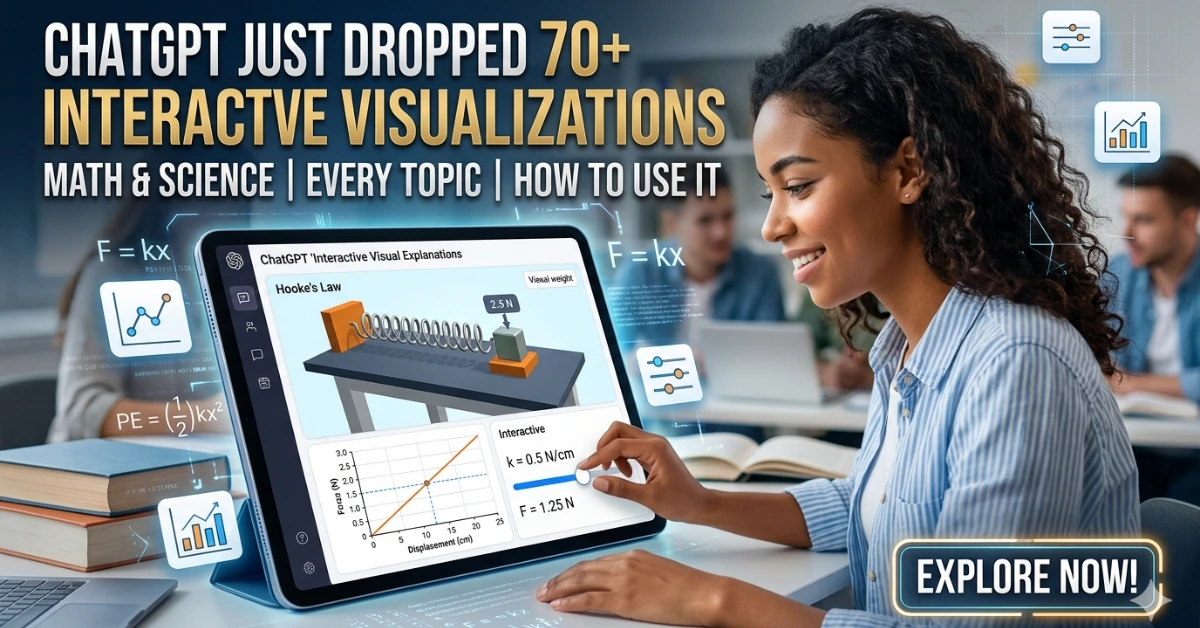
ChatGPT Just Dropped 70+ Interactive Math & Science Visualizations — Here’s Every Topic Covered & How to Use It Before Your Exam

ChatGPT’s interactive visualizations

By Asheesh Kumar 2026 · 8 min read

ChatGPT’s interactive visualizations are built-in learning modules that show math and science concepts through live graphs, sliders, and dynamic diagrams—helping students understand concepts instead of just reading them.

Read more

AI Tools for CBSE English Students: Grammar, Writing, and Safe Use (A Teacher’s Guide)

AI Tools for CBSE English Students: Grammar, Writing, and Safe Use (A Teacher’s Guide)

Why Choosing the Right AI Tool for CBSE English Is So Confusing

Look, CBSE students are genuinely confused about AI tools… and honestly, who can blame them? There’s zero clear guidance. You open your phone, someone’s pushing a new app. You check YouTube, there’s another website being recommended. One teacher tells you AI is useful. The next one says it’s completely wrong. So where does that leave you? Stuck in the middle, basically trying to guess what’s safe and what’ll land you in trouble.

Read more

Best AI Tools for CBSE Science Students in 2026

Best AI Tools for CBSE Science Students (2025)

Let’s be real for a second—Science is brutal.

You stare at a Physics problem for 20 minutes. The formula’s right there in your head. You plug in the numbers… and somehow, the answer’s still wrong.

Chemistry? Half the reactions feel like pure ratta-fication with zero logic behind them.

And Biology? It’s like training for a memory Olympics that never ends.

Read more

ChatGPT Go Is Now Free in India — How Students Can Claim GPT-4 Access & Study Smarter (2025 Guide)

ChatGPT Go Is Now Free in India — How Students Can Claim GPT-4 Access & Study Smarter (2025 Guide)

The news that made every Indian student’s day? ChatGPT’s advanced features, including GPT-4, are now accessible for free. ChatGPT Go is now free in India — a ChatGPT Go India offer that gives students premium AI tools at zero cost. No credit card drama, no subscription headaches—just pure AI power at your fingertips.

Read more

15 Best AI Apps That Make CBSE Studying 10× Easier [By Class & Subject]

Traditional vs AI Powered

The CBSE education landscape has dramatically shifted in 2026. With the introduction of competency-based questions and increased focus on application-based learning as outlined in the official CBSE curriculum, students from Classes 6 to 12 are discovering that traditional rote memorization simply isn’t enough anymore.

Read more

Best AI Subscription Plans for Students 2025: ChatGPT, Claude, Gemini, Perplexity & Grok Compare (2026 Updated)

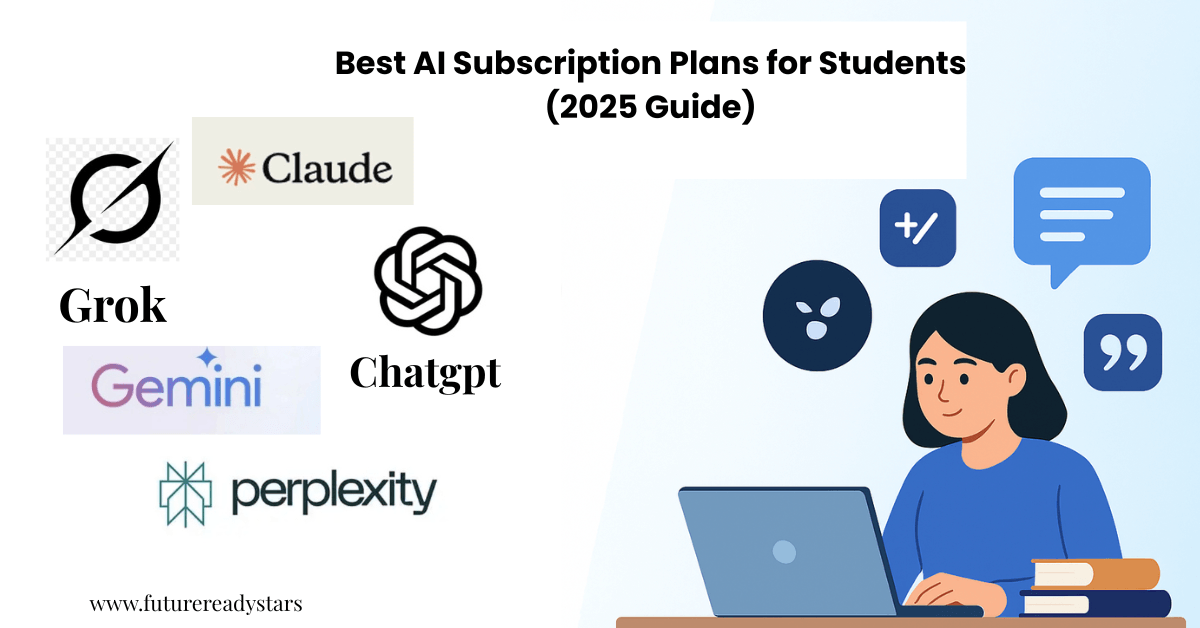
Best AI Subscription Plans for Students

Mid-semester, I hit the wall: free AI limits cut me off right when finals were closing in. After testing every major AI subscription for three weeks, I realized most reviews only list features — but students need to know which one actually saves time, stress, and money.

Read more

ChatGPT Study Mode vs Claude Learning Mode (2026): Which AI Tutor Is Better for Students?

ChatGPT-5-Study-Mode-vs-Claude-Learning-Mode.

The battle for the best AI tutoring for CBSE students is heating up in 2026. With OpenAI unveiling ChatGPT’s new “study mode” feature designed to guide users through the process of finding answers step by step, and Anthropic’s Claude employing a Socratic approach, guiding users through challenging concepts with probing questions, educators and students face an important choice.

Read more