
Last Updated on July 20, 2026 by Asheesh Kumar
A few months ago, I asked a student a simple question: “Where do you keep your study notes?”
His answer stopped me for a second.
“Some are in ChatGPT chats. A few are in Google Docs. Some I saved on WhatsApp. My PDFs are somewhere in Downloads. Honestly, I have no idea where everything is.”
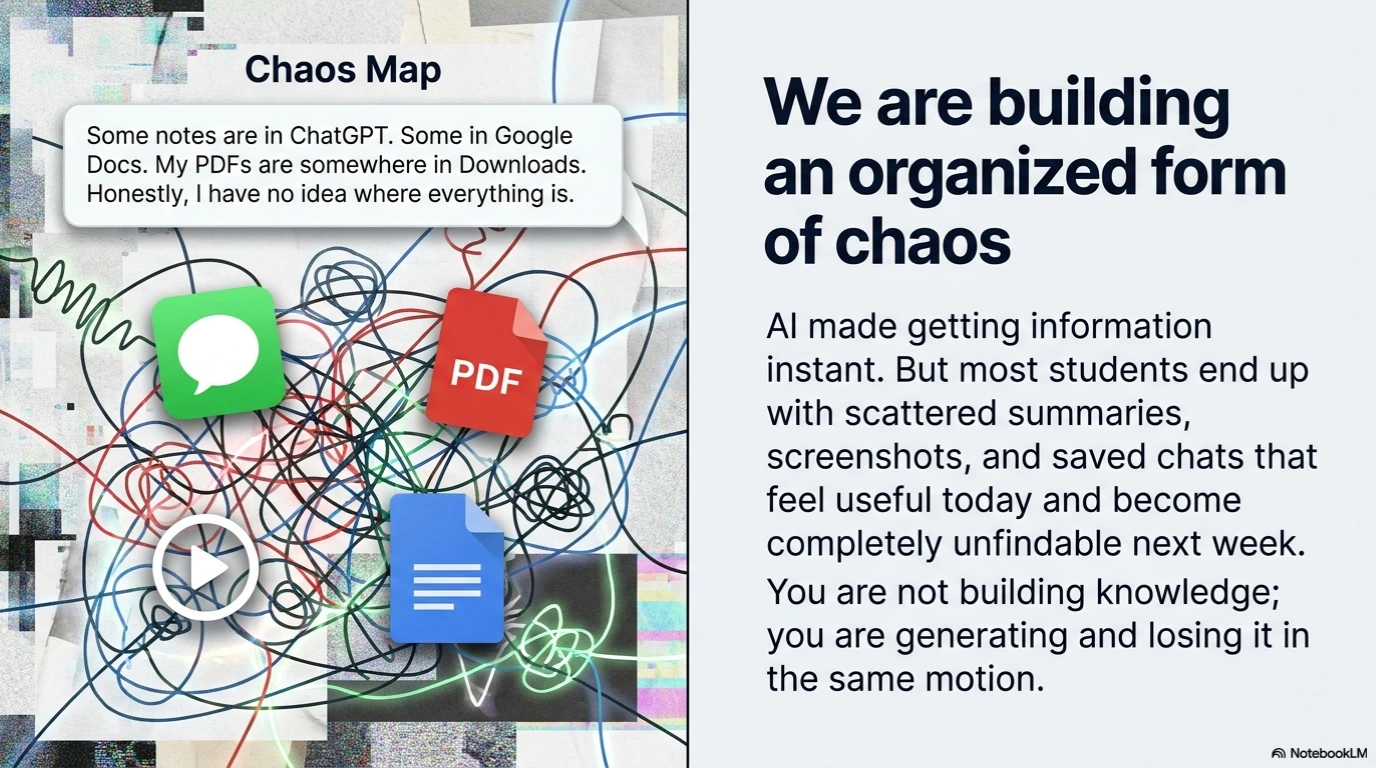
What made it striking was how unsurprised I was. I have heard some version of that answer from dozens of students. AI has made it easier than ever to get information — but nobody told us what to do with it afterward. So most students end up with a scattered mess of summaries, screenshots, and saved chats that feel useful in the moment and become useless a week later.
That is not a study system. It is a very organized form of chaos.
For a while, I had the same problem. I was using ChatGPT constantly — for summaries, explanations, practice questions. It worked brilliantly right up until the moment I needed to find something I had learned three weeks ago. Old chats buried under new ones. Useful explanations impossible to locate. I was not building knowledge. I was generating and losing it in the same motion.
The fix was not finding a better AI tool. It was creating a workflow where two tools — Google NotebookLM and Notion AI — each did the job they were actually built for. One for understanding. One for organizing. Together, they do what no single app has ever managed for me: they make studying feel like it is going somewhere.
Also Read: NotebookLM Cinematic Video Overview: Turn Your Notes Into a Mini Documentary (Student Guide)
The Hidden Problem With Studying Using AI
Tools like ChatGPT, Gemini, and Claude have made studying faster than ever. Need a summary? Ask AI. Need an explanation? Ask AI. Need practice questions? Ask AI.
The answers arrive instantly. But after helping hundreds of students, I’ve noticed something interesting. Most students are getting better at collecting information, but not necessarily better at learning. By exam season, they have dozens of AI-generated summaries, multiple PDFs, screenshots, lecture recordings, and bookmarked resources. Yet when they sit down to revise, finding the right information becomes a challenge.
AI solved the information problem. It didn’t solve the organization problem.That’s why many students feel productive throughout the semester but still feel overwhelmed before exams.
The Study System That Actually Worked
After experimenting with different tools, I found a workflow that consistently helped students stay organized while still taking advantage of AI.
I started using NotebookLM for learning. And I used Notion AI for organizing. That simple division changed everything. it became the place where I explored information, asked questions, compared sources, and understood concepts.
Notion became the place where I stored insights, planned revisions, tracked progress, and prepared for exams. Together, they created something most students don’t have: A study system.
Why NotebookLM Feels Different
Most AI tools answer questions from their general training — which means you get a confident, well-written response that may or may not match your actual syllabus. NotebookLM works differently, and the difference matters more than it sounds.
You upload your own material — your NCERT chapters, coaching PDFs, lecture notes, even a YouTube transcript — and NotebookLM works only from those sources. Every answer it gives you is cited back to something in your documents. No generic internet explanations. No responses calibrated for a different curriculum. Just your material, made interrogatable.
When I tested this with Biology — uploading my lecture slides, textbook chapters, and a set of handwritten notes I had scanned — the responses felt different from what I normally get from chatbots. They were specific. When I asked about a concept, it pointed me to the exact paragraph in my notes where it appeared.
AI Research Partner Output (Genetics Unit)
📍 Active Sources (3)
- 📄 NCERT_Class12_Genetics.pdf
- 📄 Coaching_Notes_Mutation.pdf
- 🔗 Lecture_Transcript_Oct12.txt
🤖 Grounded AI Response
Based on your uploaded materials, **Point Mutations** occur when a single base pair in DNA is altered Source 1.
A classic real-world example found in your coaching notes is **Sickle Cell Anemia**, which happens due to a change in a single base pair in the gene coding for the beta-globin chain Source 2.
💡 Note: Your professor mentioned in the Oct 12 lecture that this specific question carries 5 marks in the upcoming internal test. Source 3
The features that have genuinely changed how I prepare:
The Audio Overview is one I underestimated. NotebookLM converts your uploaded sources into a back-and-forth podcast discussion — two AI voices working through your material. I started using it during commutes, and it turned dead travel time into something close to a revision session. For students who spend time on public transport to coaching classes, this is not a novelty feature. It is a legitimate study format.
The Mind Map gives you a visual layout of how the concepts in your uploaded documents connect. For subjects like Economics or Biology, where the relationships between ideas matter as much as the ideas themselves, seeing the structure of a chapter before you read it changes the whole experience.
The Quiz generator creates questions from your actual sources. I cannot overstate why this is better than a generic quiz app — the questions are scoped to your documents, which means they are scoped to your syllabus. A student preparing for JEE Mains gets questions built from JEE-relevant material, not a global question bank that includes topics they have never been taught.
Think of NotebookLM as a very well-read teaching assistant who has studied only what you give them and can answer every question about it with a citation.
Also Read: How to Use NotebookLM to Convert NCERT Books into Audio Podcasts for Exam RevisionWhere Notion AI Comes In
Understanding a concept and retaining it across six weeks of a semester are two different problems. NotebookLM handles the first one well. It was not designed to handle the second.
This is where Notion AI earns its place.
Genetics: Core Mechanisms & Mutations
✍️ My Own Words (Active Learning)
My takeaway from today’s lecture: Pleiotropy is basically a single gene trying to multi-task and failing. If that one gene gets mutated, it doesn’t just cause one issue—it creates a massive domino effect across completely unrelated traits (like hair loss, skin pigment, and mental development all at the same time, as seen in PKU).
🔍 “Search my notes: What links my chaotic lecture scribbles from yesterday to this page?”
Based on your own notes from yesterday’s lecture transcript and this page, the common link is Enzyme Deficiency. Yesterday you scribbled that metabolic pathways break down when a single enzyme is missing; this page confirms that the single gene mutation in Pleiotropy causes exactly that metabolic block.
Found in: 2 of your pages🔍 “Which biology subjects currently have incomplete notes?”
Scanning your Biology database… Your notes for Molecular Basis of Inheritance are currently marked as “Incomplete” with no active recall questions generated yet. Your Genetics and Evolution units are fully updated.
After I understand something — really understand it, not just read a summary — I write about it in Notion in my own words. Not copied from AI output. My own phrasing, my own connections to things I already knew. This step feels slow, but it is where the actual memory formation happens. The act of translating something from understanding into your own language is not busywork. It is the learning.
Over time, what builds up in Notion is a knowledge base that belongs to you — organized by subject, tagged by exam relevance, marked by revision status. The Notion AI Q&A feature then lets you query that knowledge base the way you would query a search engine, except the results come from your own thinking. Ask it what you already know about a topic before you start studying it again. Ask it which subjects have the most incomplete notes. Ask it to pull everything you have written that connects two concepts.
The summarization feature is quietly one of the most practical things I use. After a long lecture where my notes came out fragmented and non-linear, I paste them into Notion and ask AI to organize them, extract the key ideas, and flag anything that needs more reading. Forty minutes of chaotic scribbling becomes a clean, structured page in about two minutes.
My Simple Five-Step Study Workflow
Over time, I refined the process into five simple steps.
My 5-Step AI Second Brain Workflow
How information moves from chaotic mess to permanent knowledge.
Capture Everything
Phase: CollectGather lecture notes, textbook chapters, coaching PDFs, and YouTube links into one single place. The goal here isn’t to organize—it’s just to collect.
Use NotebookLM to Understand
Tool: Google NotebookLMUpload your collection into your subject sandbox. Ask your AI teaching assistant to summarize chapters, decode formulas, and extract the absolute, hallucination-free truth.
Move Insights into Notion
Phase: Permanent StorageDon’t leave knowledge in a temporary chat playground. Migrate your verified summaries, core variables, and conceptual notes into your structured Notion subject hub.
Convert Notes into Recall Tools
Tool: Notion AIStop passively re-reading. Use Notion AI to automatically transform your flat notes into interactive flashcards, active recall toggle lists, and custom topic quizzes.
Build a Revision System
Phase: MasteryTrack your active recall performance using a simple database calendar. Revisit “Hard” topics regularly to beat the forgetting curve and eliminate exam anxiety.
Step 1: Capture Everything
Start by gathering your learning material in one place.
This can include lecture notes, textbook chapters, coaching PDFs, assignment instructions, YouTube lectures, and research articles. The goal isn’t to organize yet.
The goal is to collect.
Step 2: Use NotebookLM to Understand
Upload your study material into NotebookLM and start asking questions.
Ask it to summarize chapters, explain difficult concepts, identify important formulas, compare topics, or highlight likely exam concepts.
Think of NotebookLM as your personal teaching assistant.
Its job is to help you understand.
Step 3: Move Important Insights Into Notion
Once you’ve extracted the valuable information, don’t leave it inside NotebookLM.
Move the key takeaways into Notion.
Create subject pages, chapter notes, concept libraries, or revision hubs. This turns temporary information into permanent knowledge.
Step 4: Convert Notes Into Recall Tools
One of the biggest mistakes students make is reading notes repeatedly. Reading feels productive. Retrieval is what actually improves memory. Use Notion AI to convert notes into flashcards, quizzes, active recall questions, and revision checklists.
The more you force yourself to retrieve information, the stronger your understanding becomes.
Step 5: Build a Revision System
Good students don’t just study.
They revisit what they’ve learned. Create a simple revision schedule inside Notion and regularly review difficult topics.
This prevents last-minute cramming and helps concepts stay fresh throughout the semester.
Also Read: CBSE Is Teaching AI to 8-Year-Olds From 2026 — Here’s Exactly What Your Child Will Learn Grade by GradeNotebookLM vs Notion AI: Which Tool Should You Use for What?
Now that you understand the role of both tools, an important question remains:
When should you use NotebookLM, and when should you switch to Notion AI?
A simple way to think about it is this:
NotebookLM is where you learn from information. Notion AI is where you manage information.
The table below highlights the strengths of each tool.
| Study Task | Google NotebookLM | Notion AI |
|---|---|---|
| Understanding a difficult chapter | Excellent | Good |
| Working with textbooks and PDFs | Excellent | Limited |
| Analyzing multiple sources together | Excellent | Limited |
| Creating chapter summaries | Excellent | Good |
| Answering questions from your own notes | Excellent | Moderate |
| Organizing study materials | Basic | Excellent |
| Managing assignments and deadlines | Limited | Excellent |
| Creating revision dashboards | Limited | Excellent |
| Building subject-wise knowledge bases | Moderate | Excellent |
| Tracking study progress | Limited | Excellent |
A Real Example
Last semester, I tested this workflow while reviewing a Genetics unit. I uploaded my NCERT chapter, coaching notes, and lecture transcript into NotebookLM. Within 20 minutes, I had a chapter summary, key terms, and revision questions. I then moved the most useful insights into Notion and created a revision dashboard that I used until the exam.
And that’s where the real value lies.
Two Prompts I Use Regularly
NotebookLM Prompt
Analyze my uploaded sources and identify the concepts most likely to appear in an exam. Explain each concept in simple language and highlight any important formulas, diagrams, or case studies I should focus on.
Notion AI Prompt
Turn these notes into a 10-question active recall test. Include short explanations for each answer and group questions by difficulty level.
Also Read: 50+ Best AI Prompts for Students in 2026 – Study Smarter with ChatGPT & AI Tools
One Thing This System Cannot Do For You
No AI tool makes up for not engaging with the material yourself. This system works because it supports the thinking you do — it does not replace it.
The most common mistake I see students make with these tools is using them to outsource the hard part. They copy AI summaries into Notion instead of writing their own. They query NotebookLM instead of reading the source. They build a beautiful, well-organized Notion workspace full of information they never actually processed.
The second brain only works if you feed it real thinking. Write in your own words. Ask questions that genuinely confuse you, not just the ones you already know the answer to. Use the revision system you build — actually open it before exams, not just after you have already started panicking.
The tools handle the infrastructure. The knowledge still has to come from you.
Most students do not need more information. They need a system that stops them from losing what they already have. NotebookLM and Notion AI, used together with a consistent habit, are the closest thing I have found to that system. It took me a semester to refine it. It will probably take you a few weeks to make it your own. That is time worth spending — because the alternative is another exam season spent searching for notes you definitely saved somewhere.
And if you’re curious about how AI is reshaping education, explore more guides here on FutureReadyStars.com — where we break down new AI tools in simple language for students, parents, and teachers.

My name is Asheesh Kumar i am a dedicated educator and have a deep understanding of artificial intelligence, I aim to transform traditional learning methods by integrating cutting-edge technology and AI-driven tools into education. As a teacher and personal tutor, I have the privilege of working with many students and understanding their individual strengths and weaknesses. With this insight, I know how to help each student overcome their challenges and improve their skills. Understanding each student’s unique learning style and needs allows me to tailor lessons that maximize their potential. This holistic approach not only boosts academic performance but also builds confidence and a lifelong love for learning.
2 thoughts on “Google NotebookLM + Notion AI: A Complete AI Study System for Students (Build Your Second Brain)”