
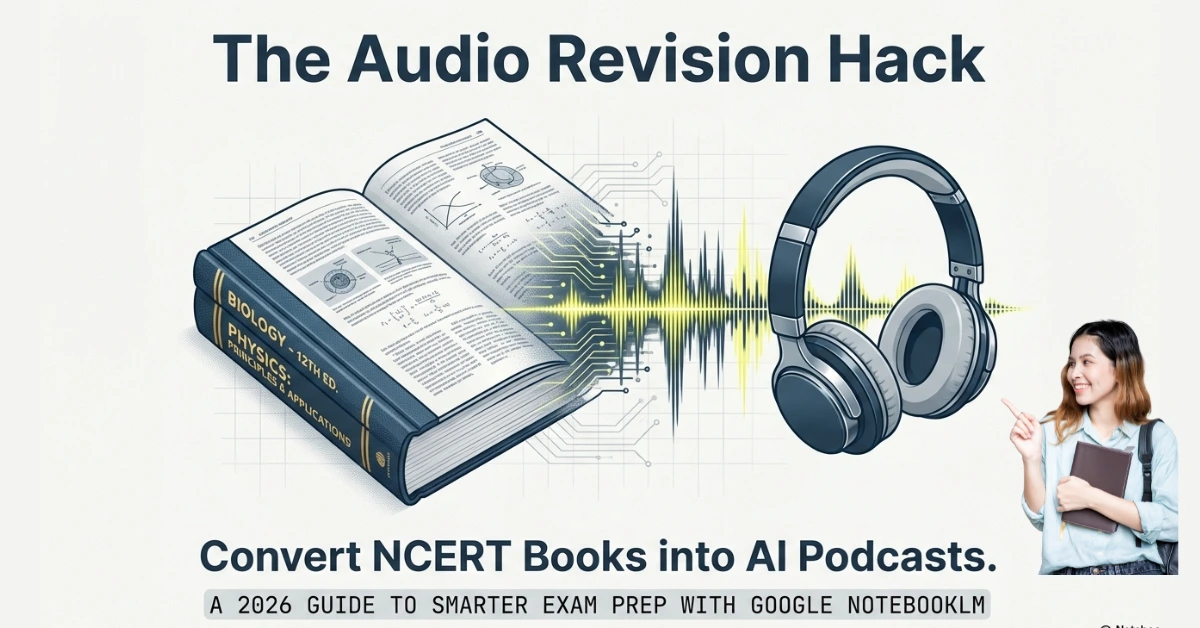
Long chapters, heavy NCERT books, and zero time — that’s the daily struggle of Indian students.
What if your 50-page Biology chapter could become a 10-minute audio podcast you can listen to while walking, travelling, or relaxing?
That’s exactly what NotebookLM’s Audio Overview feature does.
In this guide, you’ll learn:
- What NotebookLM Audio Overview is
- How to convert NCERT PDFs into AI podcasts
- How to fix common upload errors
- NotebookLM vs ChatGPT for exam notes
- Best audio revision hacks for Indian students
Also Read: How to Score 95%+ in CBSE Class 10 Board Exams 2026 (New Syllabus & Exam Pattern)
What is NotebookLM Audio Overview?
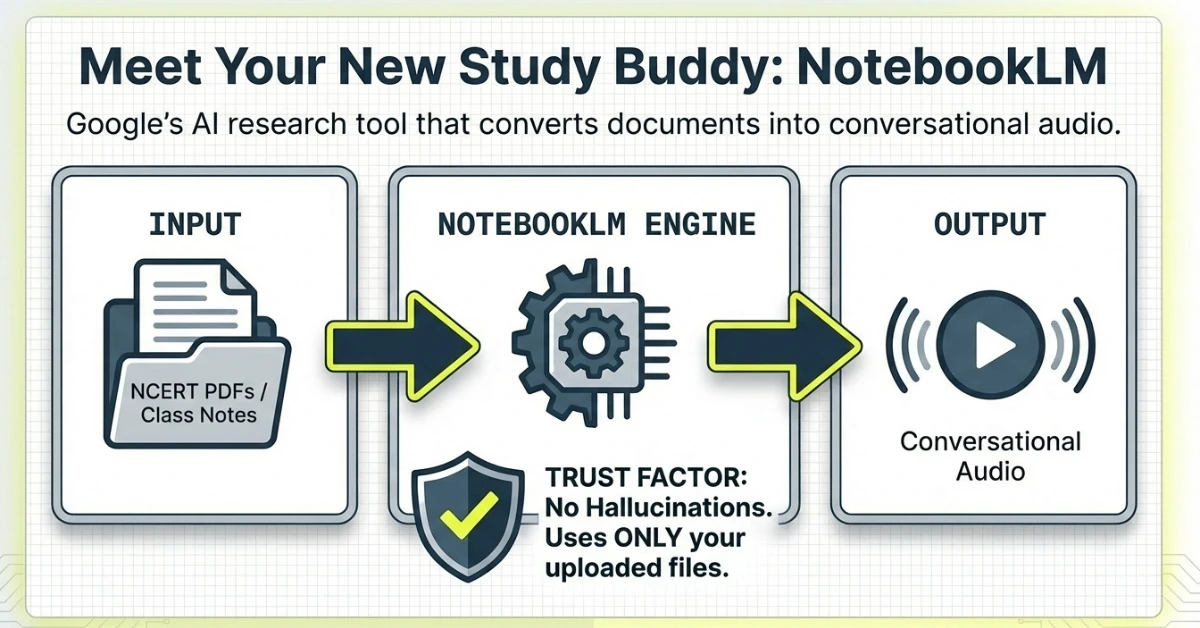
NotebookLM is Google’s AI research and note-taking tool for students and professionals.
Its Audio Overview feature converts your uploaded documents (PDFs, Google Docs, notes) into spoken podcast-style summaries.
Instead of reading:
AI reads and explains your content in a conversational audio format.
It can:
- Summarize chapters
- Explain concepts
- Create discussion-style audio
- Highlight key points from your own material
Important:
NotebookLM only uses the files YOU upload (like NCERT PDFs). It doesn’t invent random info.
Why Audio Learning Helps in Exam Revision
Let’s be honest — after reading books and staring at screens all day, your brain gets tired.
That’s where audio learning feels like a relief.
Instead of opening another PDF or textbook, you just put on earphones and listen.
Audio learning is powerful because:
- You can revise while walking or travelling
- It reduces screen fatigue
- It improves recall for many learners
- It helps weak readers understand faster
Example:
A 50-page Class 12 Biology chapter → Converted into a 10-minute spoken explanation → Perfect for last-minute revision.
Also Read: CBSE Class 12 Resources 2026: Free PDFs, Formula Sheets & Competency Questions
Step-by-Step: Convert NCERT PDFs into AI Podcasts (NotebookLM Tutorial)
Converting your study material into an audio format takes less than five minutes. Follow these steps:
Step 1: Get to NotebookLM
Open your browser and go to notebooklm.google.com – that’s it, that’s the address. Sign in with your Gmail. Any Gmail works, even your random backup one. And yeah, it’s completely free right now.
Step 2: Create Your Notebook
Click on “Create new notebook” or “New notebook” – Google keeps changing the exact button name but it’s obvious when you see it. Name it something specific.
Step3: Upload Your NCERT Sources
Upload the official NCERT PDF chapters, your handwritten notes, or even a link to a relevant educational YouTube video. You can upload entire books or specific chapters. My advice? Start with one chapter. Don’t upload the entire Physics textbook on day one.
Step4: Customise the Output (2026 Update)
In the 2026 version of the tool, you aren’t stuck with just one format. You can choose:
- Deep Dive: A lively conversation between two AI hosts.
- The Brief: A single speaker giving a quick 2-minute summary.
- The Debate: Perfect for humanities subjects where two sides of a topic are explored.
You can:
- Select output language (English/Hindi)
- Focus on key chapters
- Ask it to simplify for Class 12 level
Example prompt:
“Create a short audio summary for Class 12 Biology exam revision.”
Step5: Generate and Listen
Click the “Generate” button. The AI will take a few minutes to synthesize the information. Once ready, you can play it directly or download the .wav file to your mobile for offline listening.
Also Read: AI Tools for CBSE English Students: Grammar, Writing, and Safe Use (A Teacher’s Guide)
Best Prompts to Create Exam-Focused AI Podcasts in NotebookLM
Here’s something most students don’t know – you can actually TELL NotebookLM what kind of podcast you want. It’s not just “upload and hope for the best.
Where to add custom instructions:
Before you hit “Generate Audio Overview,” look for a text box or customization option (Google keeps updating the interface, but it’s usually near the generate button). You can type specific instructions there about what you want the audio to focus on.
Here are ready-to-use prompts for different exam situations:
For Last-Minute Revision (Night Before Exam):
"Create a quick revision podcast focusing only on the most important exam points, key definitions, important dates, and formulas. Skip detailed explanations. Make it fast-paced for quick recall."For Understanding Difficult Concepts:
"Explain this chapter like you're teaching someone who finds this topic confusing. Use simple language, everyday examples, and break down complex terms. Focus on WHY things happen, not just WHAT happens."For NCERT-Based MCQ Exams (JEE/NEET/Board MCQs):
"Focus on facts, definitions, exceptions, and specific details that usually appear in MCQs. Mention important diagrams and their labels. Highlight 'exception' points and comparison-based concepts."For Board Exam Long Answers:
"Structure this as exam-style answers. Mention how to start answers, what points to include in which order, important keywords to use, and how to conclude. Include potential 3-mark, 5-mark question formats."For Memorizing Facts/Dates (History/Biology):
"Create a podcast that focuses heavily on dates, names, locations, and factual information. Repeat important facts twice. Connect related facts together to help memory association."For Numerical/Problem-Solving Chapters (Physics/Chemistry/Maths):
"Focus on formulas, important derivations, step-by-step problem-solving approaches, and common mistakes students make. Mention which formula to use in which situation."For Weak Students Who Need Extra Help:
"Explain everything from absolute basics. Don't assume prior knowledge. Use lots of real-life examples and analogies. Speak slowly and repeat important concepts."Audio Revision Hacks That Actually Work for CBSE Students
Okay, you’ve got your audio podcasts ready. Now what? Here’s how to actually use them effectively, not just feel productive while achieving nothing:
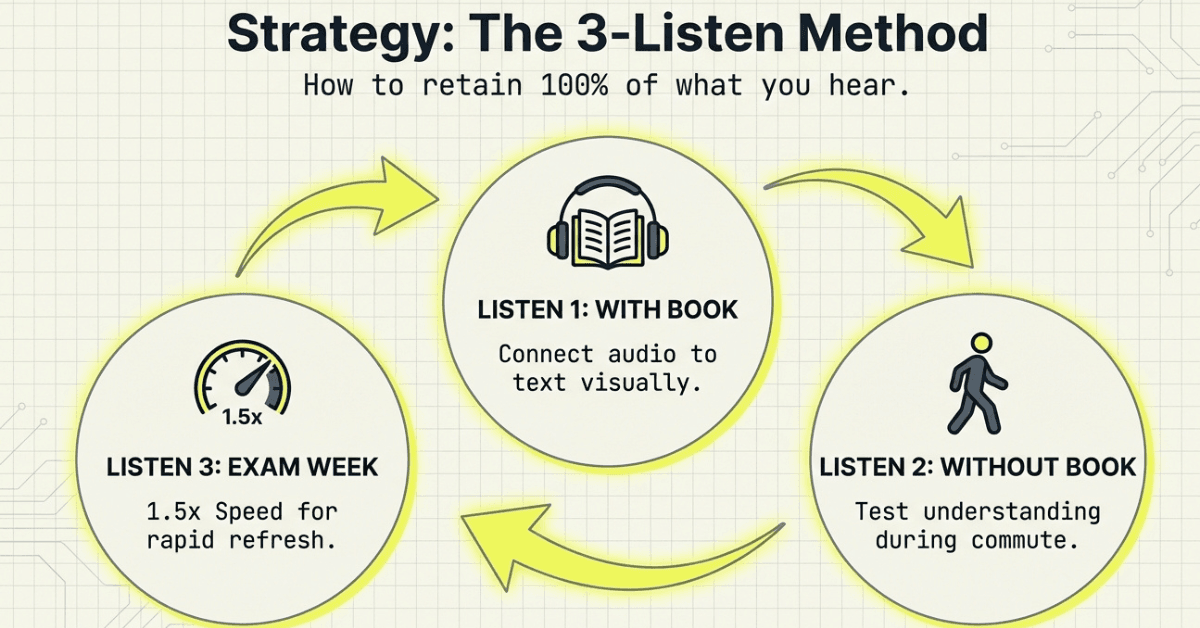
The 3-Listen Method: First listen while reading the chapter (helps connect audio with text). Second listen without the book (tests your understanding). Third listen during exam week (quick refresher). This pattern seriously improves retention.
Speed it up for revision: Most audio players let you increase playback speed. During final revision, I listen at 1.25x or 1.5x speed. Covers more in less time. Normal speed for first-time learning, faster for revision.
Create subject-specific playlists: Don’t randomly listen to Chemistry today, Physics tomorrow. Make a “Chemistry Weak Chapters” playlist and hammer those. Make a “Quick Revision All Subjects” playlist for exam week.
Morning walk revision: This is underrated. A 20-minute morning walk with one chapter’s audio = great start to the day plus productive revision. Your brain is fresh, retention is better.
Night before exam technique: The night before an exam, don’t strain your eyes reading. Lie down, close your eyes, and listen to the audio summary. Relaxed revision = better sleep = better exam performance.
Use during break times: Those 10-minute breaks between coaching classes? Perfect for a quick audio revision instead of mindlessly scrolling.
Active listening, not background noise: Keep a notebook handy. When the audio mentions an important formula, date, or definition, quickly jot it down. Don’t just passively listen while gaming – that’s pointless.
Frequently Asked Questions (FAQs)
Yes, currently Google NotebookLM is completely free to use with any personal Google account. It does not require a premium subscription like ChatGPT Plus, making it ideal for students across India.
Absolutely. As of 2026, NotebookLM supports over 80 languages. You can upload your Hindi medium NCERT or State Board PDFs and use the “Customize” setting to generate the audio podcast and summaries in Hindi or “Hinglish.”
Yes, as long as your notes are scanned clearly into a PDF or image format. If your handwriting is legible, NotebookLM can read and include your personal observations in the final study podcast.
Each notebook can hold up to 50 sources, and each source can be up to 500,000 words (roughly 200MB). This is more than enough to upload an entire year’s worth of NCERT textbooks for a single subject.
Yes, after downloading audio.
Conclusion
So if you are mainly studying from NCERT books, NotebookLM makes more sense than most other AI tools.
It works directly with your textbooks, not random internet data, which means the explanations stay close to what will actually come in your exam.
It is especially useful when:
- you want to revise chapters instead of reading them again,
- you need quick summaries before a test, and
- you prefer listening to concepts instead of staring at pages.
In short, for students who depend on NCERT and want faster, easier revision, NotebookLM is a smarter choice