
Last Updated on March 23, 2026 by Asheesh Kumar
AI literacy is the ability to understand what Artificial Intelligence is, how it works, how to use it responsibly, and how to think critically about its outputs. In 2026, it is as foundational as reading comprehension or mathematical reasoning — students who lack it are navigating a world they can’t fully see or evaluate. This guide gives every teacher a practical, grade-by-grade roadmap to build that literacy in their classroom — no technical background required.
This guide is that map. Whether you’re teaching third grade or high school seniors, whether you’re tech-savvy or still figuring out your smartboard, this is your practical, no-nonsense roadmap to teaching AI literacy in 2026.
Why AI Literacy Matters Right Now
🔥 Trending Insight for 2026
According to the Digital Education Council’s 2025 global survey, 86% of students worldwide use AI in their studies, with 54% using it weekly. Meanwhile, the World Economic Forum’s Future of Jobs Report 2025 found that 86% of employers expect AI to transform their business by 2030, with AI and big data ranking as the fastest-growing skill needs.
AI literacy is no longer optional because:
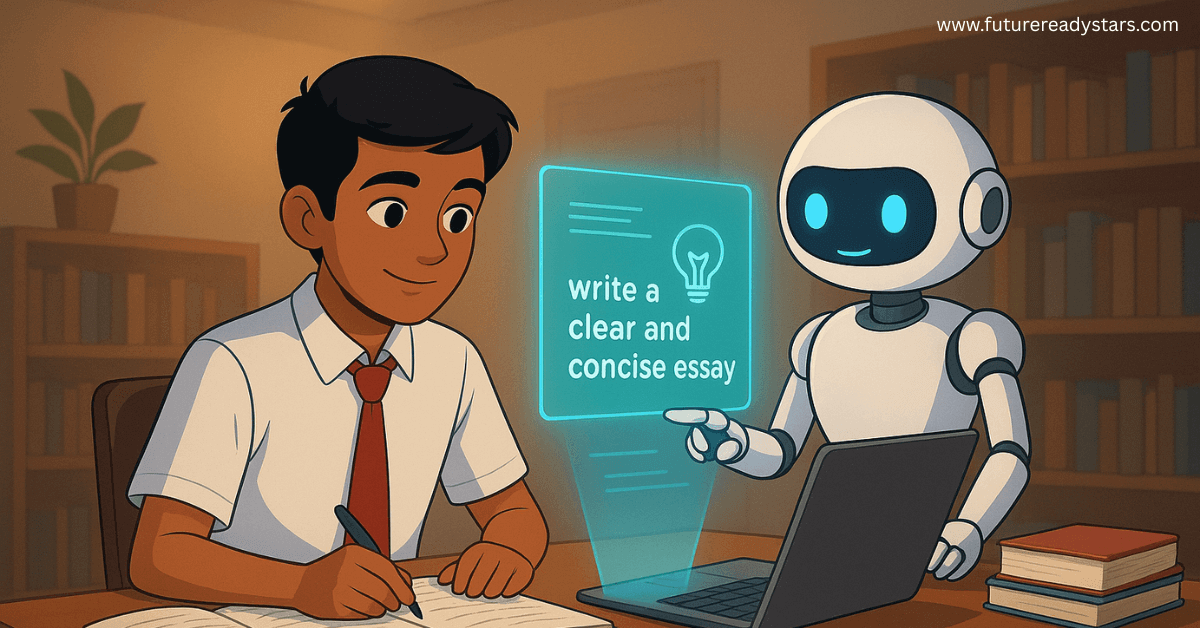
- Students’ social media feeds are algorithm-driven.
- Homework tools are AI-powered.
- Search engines like Google and Bing now use AI-generated answers.
- Misinformation is increasing due to AI-created deepfakes.
AI literacy helps students:
✔ think critically
✔ make informed decisions
✔ use technology ethically
✔ become creators, not passive consumers
This is digital citizenship for the AI era.’
Also Read: Best AI Subscription Plans for Students 2025: ChatGPT, Claude, Gemini, Perplexity & Grok Compared
What Is AI Literacy, Actually?
Think of AI literacy as having three layers:
Understanding: Knowing what AI is, how it works at a basic level, and what it can and cannot do.
Application: Using AI tools effectively, ethically, and creatively to solve real problems.
Evaluation: Critically assessing AI outputs, recognizing bias, understanding limitations, and making informed decisions about when and how to use AI.
It’s not about turning every student into a computer scientist. It’s about giving them the literacy to thrive in an AI-powered world—the same way we teach media literacy or financial literacy.
THE 5 CLASSROOM PILLARS FOR TEACHING AI LITERACY (2025)
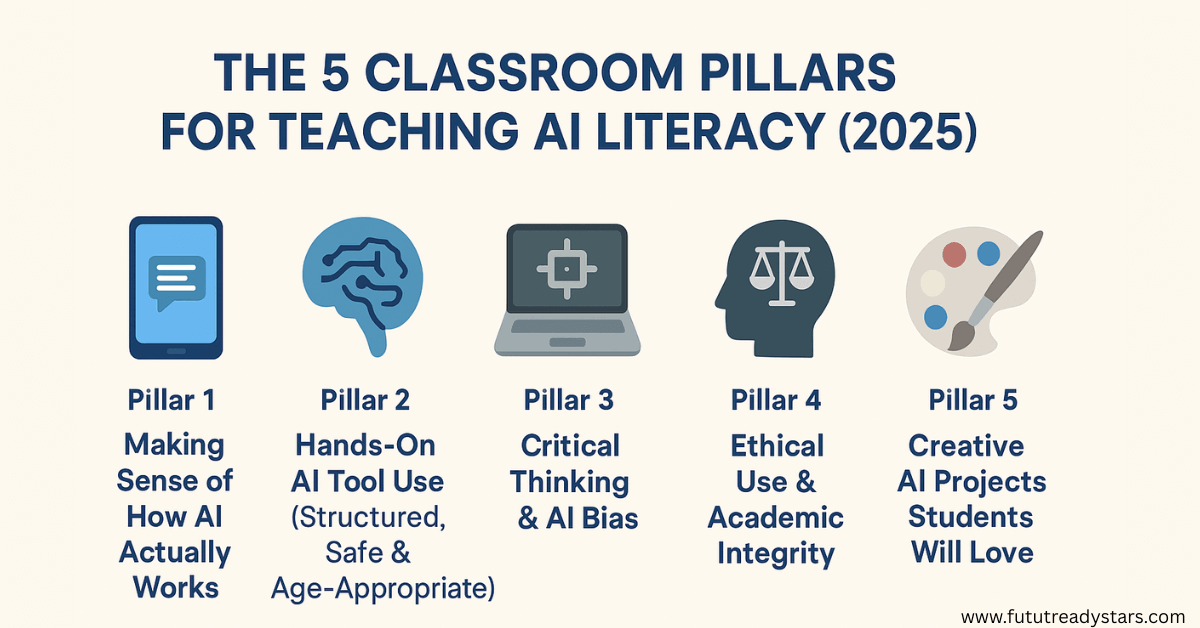
Pillar 1: Making Sense of How AI Actually Works
Start with the basics, but make them tangible. I’ll never forget the “aha” moment in my classroom when I compared AI to a really advanced autocomplete function on a phone. Suddenly, the mystery disappeared.
Simple Explanation Framework:
- AI is like a pattern-finding machine that learns from examples
- It doesn’t “think” like humans—it recognizes patterns and makes predictions Machine learning means the AI gets better by seeing more examples
- AI doesn’t have feelings, consciousness, or true understanding
Classroom Activity: The Cookie-Sorting Game
This works brilliantly for grades 3-8.
Setup: Bring in different types of cookies (or print pictures). Tell students they’re going to “train” a human AI.
Steps:
- Choose one student to be the “AI” and send them out of the room
- Sort cookies into two categories (chocolate vs. non-chocolate, round vs. square, etc.) but don’t tell the AI the rule
- Bring the AI back and show them examples: “This cookie goes in Group A. This one goes in Group B.”
- After 5-10 examples, test the AI with a new cookie
- Discuss: How did they figure out the pattern? What if the examples were confusing? What if there wasn’t a clear pattern?
Debrief Questions:
- How did you feel as the AI, trying to learn the pattern?
- What happened when you got something wrong?
- How is this like what AI does with data?
- What if someone showed you bad examples on purpose?
This activity brilliantly demonstrates training data, pattern recognition, and the importance of good examples—all without touching a computer.
Pillar 2: Hands-On AI Tool Use (Structured, Safe & Age-Appropriate)
Students need to use AI tools to understand them. But we need structure, not chaos.
Recommended Tools by Age Group:
Elementary (Grades 3-5):
- Teachable Machine (Google) – Create simple AI models that recognize images or sounds
- Quick, Draw! – Google’s game that shows how AI learns to recognize drawings
- AI4K12’s Five Big Ideas – Interactive activities explaining AI concepts Middle
School (Grades 6-8):
- ChatGPT (with guidance) – Text generation and conversation
- DALL-E or Bing Image Creator – AI art generation
- Scratch AI extensions – Programming simple AI behaviors
- AI detectors – Understanding how AI content gets identified High School
(Grades 9-12):
- Claude, ChatGPT, or Gemini – Advanced text AI for research and creation
- Runway or Pika – Video AI tools
- GitHub Copilot – AI for coding
- Perplexity AI – AI-powered search and research
Also read: ChatGPT-5 Study Mode vs Claude Learning Mode: I Tested Both for 30 Days (Honest Results)
Essential Activity: The AI Challenge Week
This works for grades 6 and up. Give students five days, five different AI tools, and five specific challenges.
Monday: Use an AI chatbot to explain a complex topic (quantum physics, photosynthesis, World War II). Compare three AI explanations. Which is most accurate? Most clear?
Tuesday: Generate art based on a prompt. Modify your prompt five times. What changes? What stays the same? What does this tell you about how image AI works?
Wednesday: Ask an AI to write a story in your style. Then write your own version. What’s different? What’s missing from the AI version?
Thursday: Use AI to summarize a long article. Now read the article. What did the AI miss? What did it emphasize?
Friday: Try to “break” an AI. Give it impossible requests, confusing prompts, or trick questions. What are its limitations?
Reflection Journal: Each day, students answer:
- How might I use this responsibly?
- What surprised me?
- What frustrated me?
- What impressed me?
- What worried me?
Pillar 3: Critical Thinking & AI Bias (The Most Important Skill in 2025)
This is where things get real. AI isn’t neutral—it reflects the biases in its training data and the people who created it.
The Bias Discovery Lesson (Grades 7-12)
Opening Discussion: “If an AI learned about the world only from Instagram, what would it think is normal?”
Activity Steps:
Image Search Test: Have students search “doctor” in Google Images, then “nurse,” then “CEO,” then “teacher.” What patterns do they notice in gender, race, and age?
AI Generation Test: Use an AI image generator. Create images with these prompts:
- “A successful businessperson”
- “A scientist in a lab”
- “A criminal”
- “A family having dinner”
Analysis Questions:
- What assumptions did the AI make?
- Who is represented? Who is missing?
- Why might the AI have these biases?
- How could this affect real-world decisions?
Real-World Case Studies to Discuss:
Talk about how facial recognition software has shown higher error rates for people with darker skin tones, why that matters for security systems, and what it tells us about training data. Educational researchers have documented these disparities extensively, and it’s a powerful way to show students that AI bias has real consequences.
Discuss hiring algorithms that were found to favor male candidates because they were trained on historical hiring data from companies that had previously hired mostly men. This opens conversations about historical bias becoming embedded in technology.
Student Worksheet: Bias Detective
Create a worksheet where students:
- Identify a piece of AI output (image, text, recommendation)
- List assumptions the AI made
- Identify who might be harmed by these assumptions
- Suggest how to improve the training data
- Rate the severity of bias (low, medium, high)
Also Read: 50 Best AI Prompts for Students: From Study Notes to Essay Writing (2025)
Pillar 4: Ethical Use & Academic Integrity
Let’s address the elephant in the classroom: students are using AI for homework. Rather than fight it, let’s teach them how to use it right.
The AI Use Spectrum
Create a visual spectrum in your classroom from “Always Appropriate” to “Never Appropriate.”
Classroom Contract Activity
Have students create an “AI Honor Code” together. This works far better than top-down rules.
Process:
- Divide into groups. Each group discusses: “When is it okay to use AI for schoolwork?”
- Groups present their ideas
- Class votes on guidelines
- Create a poster signed by everyone
- Revisit quarterly and adjust as needed
Sample questions to guide discussion:
- Is using AI like using a calculator or like having someone else do your math?
- If you use AI to help brainstorm, whose idea is it?
- What’s the difference between AI help and AI cheating?
- How much AI help is too much?
Practical Assignment Redesign
Instead of fighting AI, redesign assignments:
Old Assignment: “Write an essay about the causes of World War I.”
AI-Resistant Version: “Use AI to generate an explanation of WWI causes. Then write an analysis explaining what the AI got right, what it oversimplified, what it missed, and what additional sources you’d need to verify its claims. Include your AI conversation.”
This makes AI a tool for learning, not a shortcut around it.
Pillar 5: Creative AI Projects Students Will Love
Students learn best by creating. Here are project ideas that teach AI literacy while producing something meaningful.
Elementary Project: AI Story Collaborator
Students write a story opening (2-3 paragraphs). They ask an AI to continue it. Then they take over again. They alternate until the story is complete.
Reflection: What ideas did the AI give you? Where did you have to fix the AI’s mistakes? What does this teach you about AI creativity?
Middle School Project: AI Detection Challenge
Students create three pieces of writing:
- Entirely their own work
- AI-generated (with their prompts)
- Hybrid (AI draft that they heavily edited)
They submit anonymously. Classmates try to identify which is which.
Debrief: What clues helped you detect AI? What makes human writing different? How can you use AI without losing your voice?
📥 DOWNLOAD THIS SECTION
Want this 5-Day Starter Pack as a printable PDF with bonus worksheets?
Instant delivery. No spam. Unsubscribe anytime.
Cross-Curricular AI Projects
Science: Use AI to analyze patterns in climate data, predict outcomes of experiments, or generate research questions
History: Ask AI to write from historical perspectives, then fact-check using primary sources
Math: Have AI explain different solution methods, then students evaluate which explanations are clearest
Art: Create AI art, then analyze the style, modify it, and discuss AI’s role in artistic creativity
English: Use AI to experiment with different writing styles, then analyze what makes each voice unique
Also Read: Top 10 AI Tools That Predict Exam Questions (2025’s Secret Weapon)
Common Teacher Questions Answered
“I’m not tech-savvy. Can I still teach this?”
Absolutely. You don’t need to be an AI expert. Think of yourself as a guide exploring alongside students. Some of my most powerful lessons came from admitting “I don’t know—let’s figure it out together.” Your role is facilitating critical thinking, not providing technical expertise.
“What if students know more about AI than I do?”
They probably do know more tools. But they don’t know more about ethics, critical thinking, or responsible use. That’s your expertise. Frame lessons as collaborative exploration. Let students teach you about tools while you teach them about thoughtful use.
“How much time does this take?”
Start small. One 45-minute lesson per month makes a difference. You’re not adding a new subject—you’re adding literacy skills to existing lessons. Integrate AI literacy into what you’re already teaching.
“What about AI detectors?”
They’re imperfect. False positives are common, especially for English language learners or students with different writing styles. Use them as one data point, not a gotcha tool. Focus on process (drafts, conferences, reflections) more than detection.
“Should I ban AI?”
Banning it won’t work. Students have AI in their pockets. Instead, teach responsible use. Create clear guidelines, design AI-resistant assignments, and make your classroom a place where honest conversations about AI happen.
The Truth About Teaching AI

Here’s what I’ve learned: teaching AI literacy isn’t about predicting the future or becoming a tech expert. It’s about giving students the critical thinking skills to navigate whatever comes next.
Last week, that same seventh-grader who submitted the AI essay came to me with a different assignment. She’d used ChatGPT to brainstorm ideas, then wrote her own outline, then asked the AI for feedback on her draft. Her final essay was thoughtful, clearly her own voice, and better because she’d used AI as a tool, not a replacement.
“I get it now,” she told me. “AI is like… a really smart assistant who doesn’t actually understand what they’re saying. You have to be the one who understands.”
That’s AI literacy.
You don’t need to know everything about AI to teach this. You need to care about your students’ future, be willing to explore alongside them, and create space for honest conversations about this technology that’s reshaping our world.
Start small. Try one activity. Have one conversation. Show one example. Build from there.
Because here’s the thing: AI literacy isn’t an add-on to education. It’s the foundation our students need for everything else.
And you’re exactly the right person to teach it
📥 DOWNLOAD THIS SECTION
Want this 5-Day Starter Pack as a printable PDF with bonus worksheets?
Instant delivery. No spam. Unsubscribe anytime

My name is Asheesh Kumar i am a dedicated educator and have a deep understanding of artificial intelligence, I aim to transform traditional learning methods by integrating cutting-edge technology and AI-driven tools into education. As a teacher and personal tutor, I have the privilege of working with many students and understanding their individual strengths and weaknesses. With this insight, I know how to help each student overcome their challenges and improve their skills. Understanding each student’s unique learning style and needs allows me to tailor lessons that maximize their potential. This holistic approach not only boosts academic performance but also builds confidence and a lifelong love for learning.
3 thoughts on “AI Literacy 101: How to Teach AI to Students (A Practical Classroom Guide for 2026)”