
Last Updated on July 25, 2026 by Asheesh Kumar
Introduction: From Advice to Action
“Sir, which laptop should I actually buy?”
After my tablet vs laptop comparison guide went live, my inbox exploded. Parents loved the decision framework, but now they wanted the real deal—specific models, exact prices, and honest reviews from someone who’s actually seen these devices in action with real students.
As a tutor who’s guided over 200 families through tech purchases, I’ve researched the actual bestsellers on Amazon India, Flipkart, and other major retailers. The Indian student laptop market in 2025 emphasizes affordability, portability, and balanced performance for academic tasks like coding, research, and multimedia consumption. This isn’t another generic “top 10” list. These are India’s most purchased student devices—the ones with thousands of verified reviews and proven track records.
Also read: 15 Best AI Apps That Make CBSE Studying 10× Easier [By Class & Subject]Quick Picks: India’s Top 3 Most Bought Student Devices
| Age Group | Most Popular Pick | Current Price | Why Students Love It |
| Elementary (6-11) | Lenovo Tab M11 | ₹11,990 | Lenovo Tab M11 with 8GB RAM, 128GB ROM, 11 inch screen, 90Hz display – Most ordered tablet on Amazon |
| Middle School (12-14) | ASUS VivoBook 15 (2025) | ₹42,990 | ASUS Vivobook 15 with Intel Core i3-1315U, 16GB RAM/512GB SSD – Amazon’s #1 bestseller |
| High School (15-18) | HP Pavilion 14 | ₹58,990 | HP 15 Laptop,13th Gen Intel Core i5-1334U, 16GB DDR4, 512GB SSD – Consistent top seller |
Best Tablets for Students: India’s Real Bestsellers
1. Lenovo Tab M11 – India’s Most Ordered Student Tablet
Current Price: ₹₹11,990(8GB/128GB) | ₹15,999 (8GB/256GB) Amazon Ranking: #1 Bestseller in Tablets,
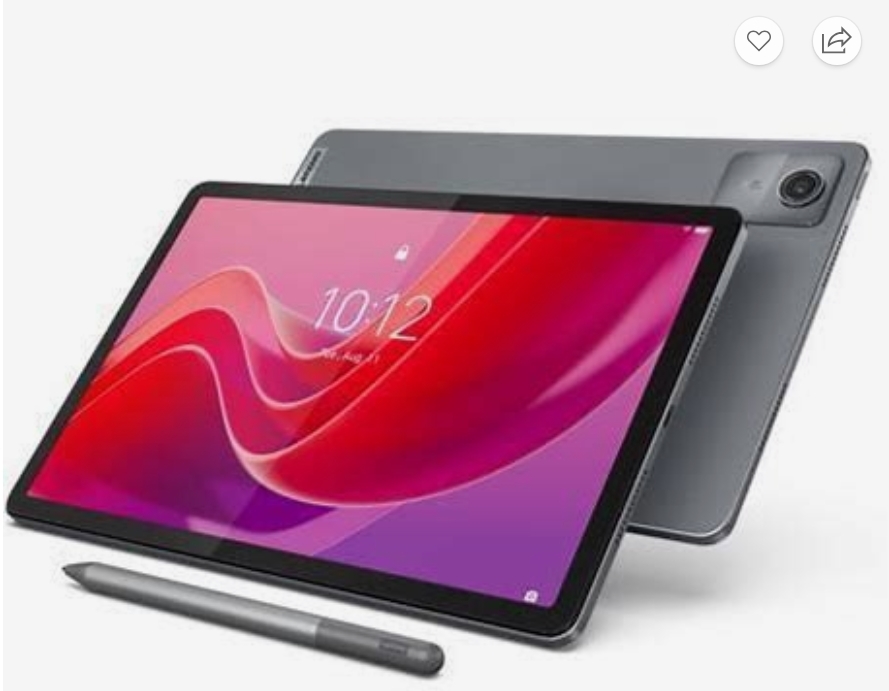
First up is the Lenovo Tab M11, which I often recommend to families buying their first-ever tablet. For example, Aarav in grade 6 now finishes Khan Academy lessons, writes with the stylus, and still has battery left for bedtime stories. That’s because this tablet covers the basics without burning a hole in the pocket
✨ Best Features:
- 11″ FHD+ display (90Hz) → Smooth scrolling, less eye strain
- 8GB RAM → Handles multiple apps without lag
- 4G LTE support → Study anywhere, even without WiFi
- Quad speakers with Dolby Atmos → Clear audio for online classes
- 13MP rear camera → Perfect for project photography
Works with AI learning apps → Duolingo, Khan Academy Kids, BYJU’S run smoothly
✅ Pros:
- Incredible value for money (best specs under ₹20K)
- Long battery life (8-10 hours)
- Expandable storage via microSD
- Lightweight at 465g
- Dedicated Kids Mode with parental controls
❌ Cons:
- Not as premium as iPad build quality
- Limited app ecosystem compared to iPad
- Stylus not included (available separately for ₹2,999)
Perfect for: Budget-conscious families, first tablet buyers, students who need 4G connectivity
2. Samsung Galaxy Tab A9+ – Premium Budget Choice
Current Price: ₹18,449 (8GB/128GB) | ₹20,999 (8GB/256GB) Flipkart Ranking: Top 3 in tablets category.
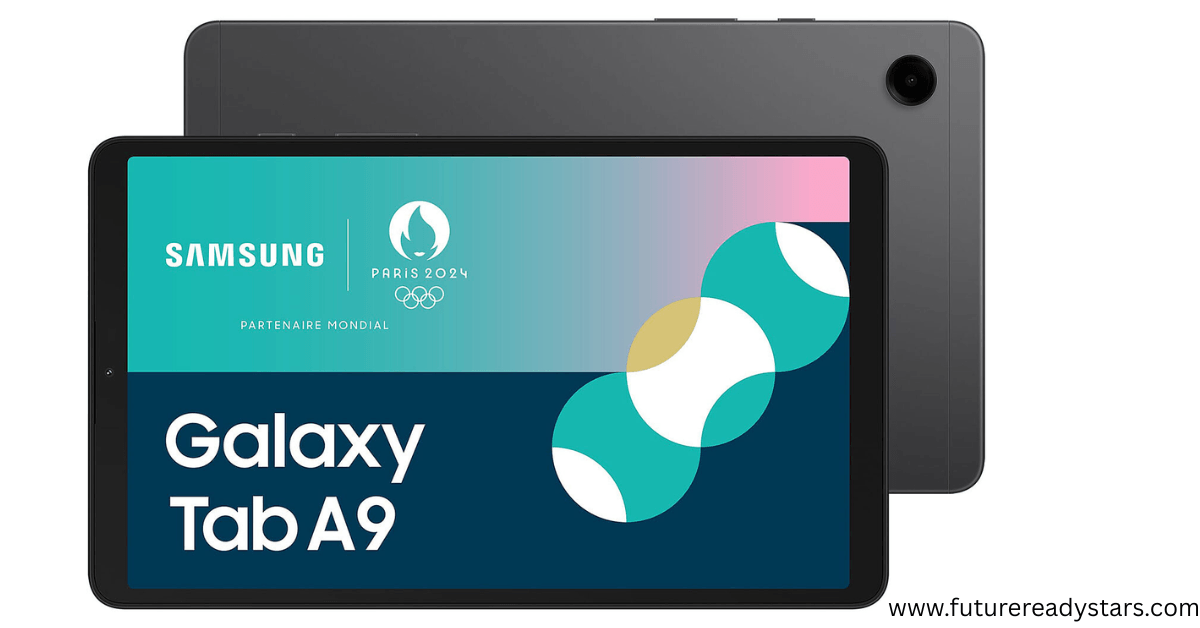
Now, if you can stretch the budget a little, the Samsung Galaxy Tab A9+ feels like a clear step up. One of my students, Kavya, attends online tuition here — and her mom told me, “We stopped using speakers, the sound is that good.
✨ Best Features:
- 11″ TFT display → Vibrant colors, good brightness
- Helio G99 processor → Smooth gaming and multitasking
- Quad speakers → Immersive audio experience
- One UI 5.1 → Clean, intuitive interface
- 8MP front camera → Great for video calls
✅ Pros:
- Regular software updates (3+ years guaranteed)
- Good performance for educational apps
- Expandable storage up to 1TB
- Samsung ecosystem integration
❌ Cons:
- No stylus included
- Plastic build (premium look but not feel)
Perfect for: Students in Samsung ecosystem, those who prioritize design and performance
3. Apple iPad (9th Generation) – Still the Student Favorite
Current Price: ₹29,900 (64GB) | ₹39,900 (256GB) Amazon India: Consistently in top 5 bestsellers
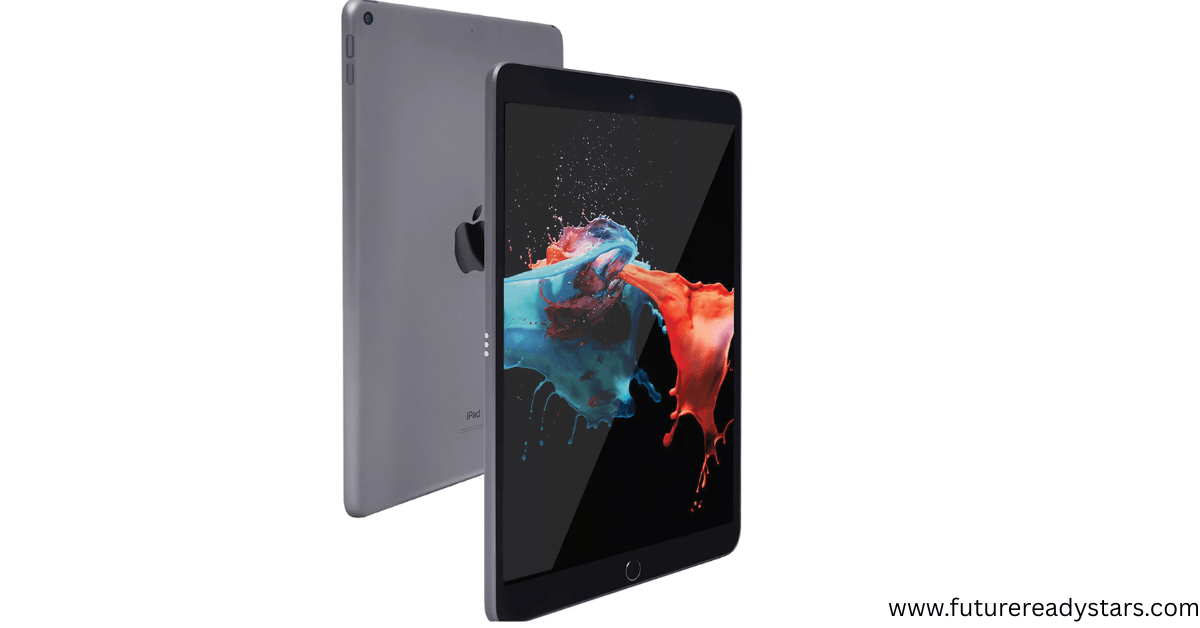
Moving up, the iPad 9th Gen remains unbeatable for many. When Priya’s art teacher shifted to digital assignments, this iPad was the only one she trusted. Parents like it because it just keeps working — even 5 years later.
✨ Best Features:
- 10.2″ Retina display → Crystal clear text and images
- A13 Bionic chip → Faster than most Android tablets
- Touch ID → Secure, fast unlock
- Apple Pencil (1st gen) support → Natural writing and drawing
- iPadOS → Massive educational app library
✅ Pros:
- Unmatched app ecosystem for education
- 5+ years of software updates guaranteed
- Excellent build quality and durability
- Best-in-class parental controls
❌ Cons:
- Apple Pencil costs extra (₹8,500)
- Limited storage in base model
- No expandable storage
- More expensive than Android alternatives
Perfect for: Students in creative fields, families already in Apple ecosystem, long-term investment buyers.
4.Xiaomi Pad 6 — Affordable Performance Tablet for Students
Current Price: ~ ₹24,499 to ₹30,999 on Flipkart / Amazon.in (8 GB RAM / 128 GB or 256 GB storage, during offers)
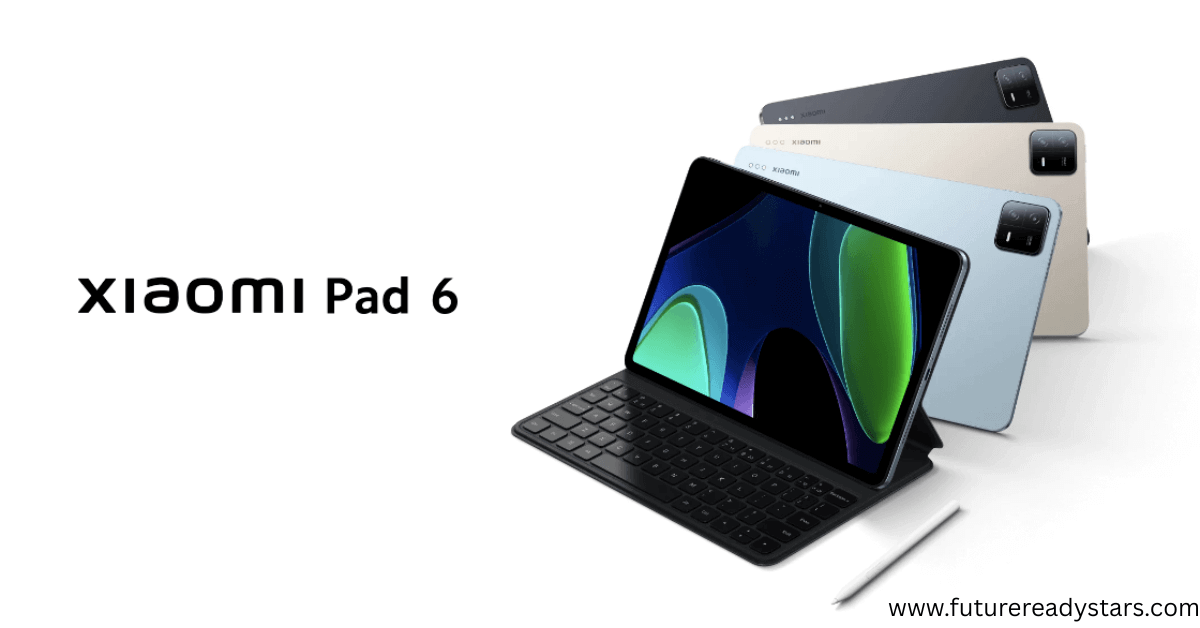
Finally, for students who want more screen power without iPad pricing, the Xiaomi Pad 6 makes sense. Aditya, an 11th grader, uses it to split-screen ChatGPT with his textbook. He says, “It’s like having my teacher on one side and my notes on the other
✨ Best Features
- 11-inch 144Hz IPS display (or 11″ 120Hz / ~high refresh) → very smooth scrolling, better reading & eye comfort
- Snapdragon / good mid-range processor → handles apps, video calls, split screen well
- Dual speakers → good stereo sound for online lectures & videos
- 8 GB RAM options + 128 GB storage (sufficient for typical student use including offline content)
- AI-ready → Works perfectly with ChatGPT, Claude, and Google Bard for research
✅ Pros
- Excellent value for the performance it offers
- Crisp display + smooth experience for reading, video, and light creative work
- Good battery life (approx 8-10 hours depending on use)
❌ Cons
- Stylus / keyboard accessories usually sold separately; third-party ones might lag or not be as responsive
- Xiaomi’s software updates aren’t always as long-term / premium as Apple / Samsung
Perfect For
Students who want a high-refresh display + good performance without paying premium prices
Best Laptops for Students: Market Leaders
5. ASUS VivoBook 15 (2025) – Amazon India’s #1 Bestseller
Current Price: ₹42,990 (i3/16GB/512GB) | ₹52,990 (i5/16GB/512GB)
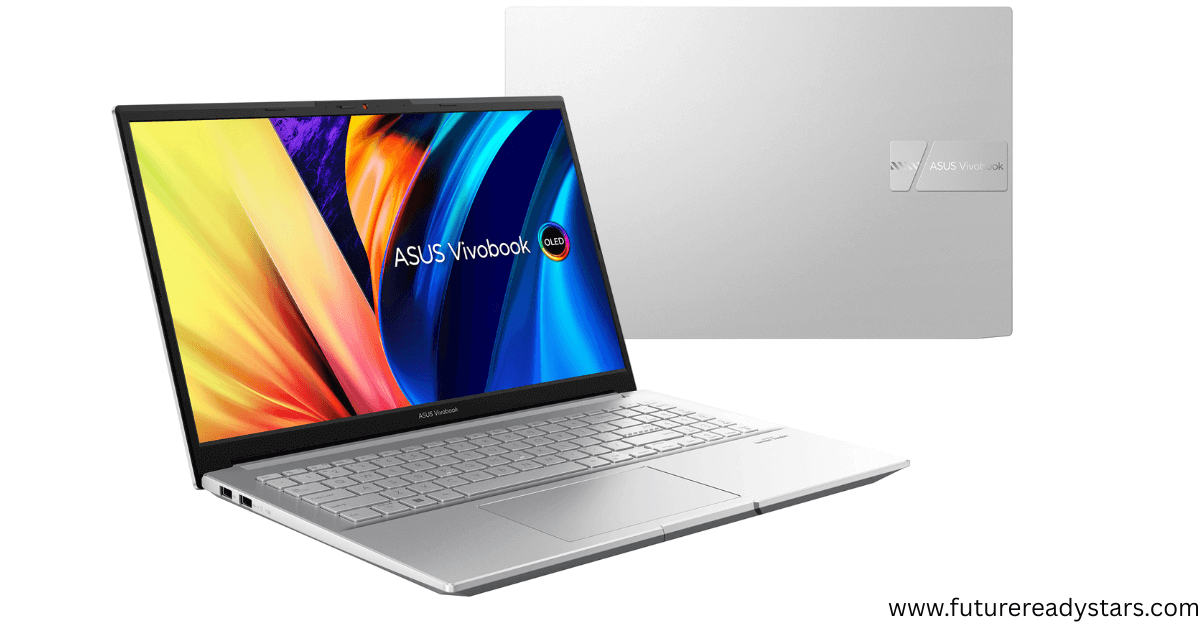
Next, the ASUS VivoBook 15 stands out for its typing comfort and bundled software. Ishita’s father picked this because it comes with MS Office lifetime license — no extra costs.
✨ Best Features:
- Intel 13th Gen processors → Latest architecture, better efficiency
- 15.6″ FHD display → Ample screen real estate for multitasking
- Backlit keyboard → Study comfortably in any lighting
- Microsoft Office 2024 included → ₹12,000+ value for free
- Fast charging → 60% charge in 49 minutes
✅ Pros:
- Exceptional value with bundled software
- Excellent performance for student workloads
- Good port selection (USB-C, USB 3.2, HDMI)
- Lightweight at 1.7kg
❌ Cons:
- Display could be brighter
- Speakers are average quality
- Battery life is decent but not exceptional (6-7 hours)
Perfect for: Students who need reliable performance with productivity software included
6. HP Pavilion 14 – Consistent Top Seller
Current Price: ₹52,999 (i5/16GB/512GB) | ₹58,999 (i7/16GB/512GB) Market Position: HP 15 Laptop,13th Gen Intel Core i5-1334U, 16GB DDR4, 512GB SSD consistently ranks in top 5 across all platforms
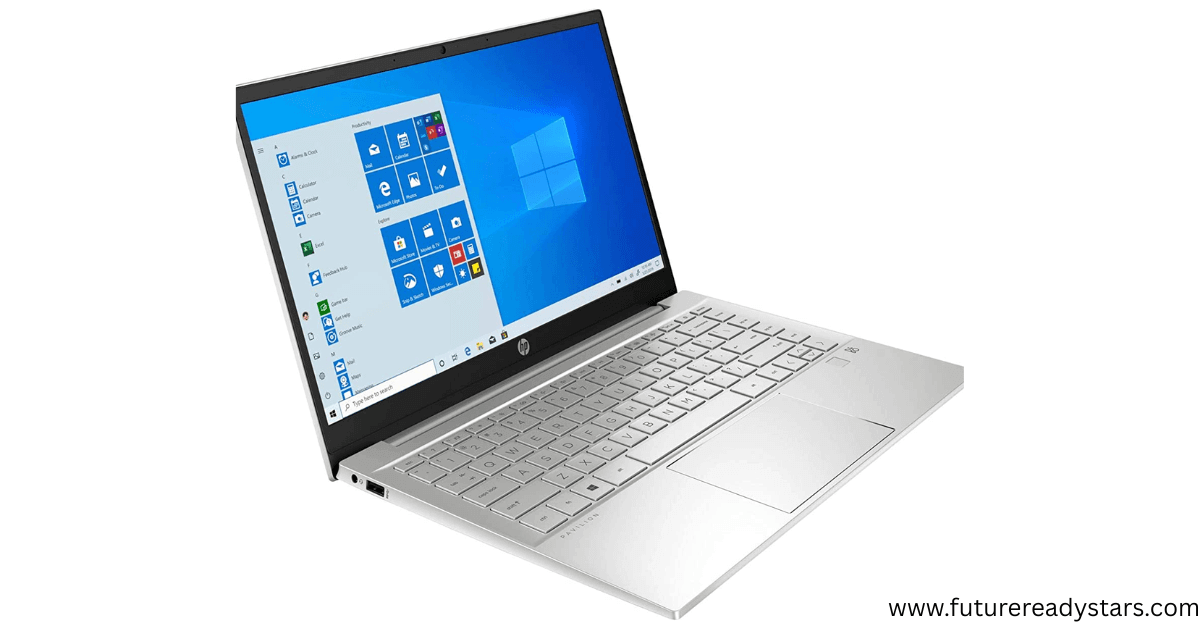
Moving up, the HP Pavilion 14 strikes the sweet spot. Aarushi, preparing for her board exams, uses it daily for assignments and even light Canva design. Parents appreciate the professional look + reliable performance.
✨ Best Features:
- 13th Gen Intel Core processors → Proven performance and efficiency
- 14″ compact design → Perfect balance of portability and usability
- DDR4 16GB RAM → Smooth multitasking for heavy workloads
- PCIe SSD storage → Fast boot times and app loading
- HP’s famous keyboard → Comfortable for long typing sessions
✅ Pros:
- Excellent keyboard and trackpad
- Robust build quality
- Good thermal management
- Strong service network across India
❌ Cons:
- Conservative design
- Display could be more vibrant
- Slightly heavier than ultrabooks
Perfect for: Students who prioritize reliability, heavy typists, those who need consistent performance
7. Lenovo IdeaPad Gaming 3 – Rising Star for Power Users
Current Price: ₹64,999 (Ryzen 5/16GB/512GB + RTX 3050) | ₹74,999 (Ryzen 7/16GB/1TB + RTX 4050) Trend: Lenovo IdeaPad series showing strong sales growth among students who need extra power
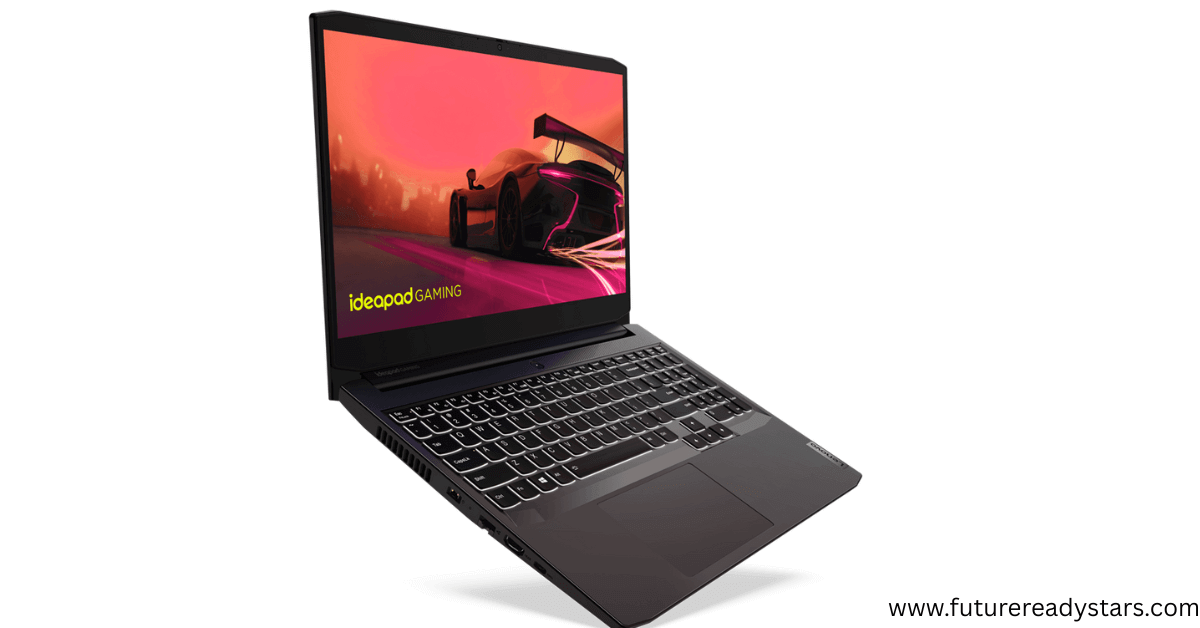
Finally, for those in STEM fields (engineering, coding, design), the IdeaPad Gaming 3 is the budget gaming laptop that doubles as a powerful study tool. Aarav in B.Tech uses it for Python, CAD, and even AI model training.
✨ Best Features:
- AMD Ryzen processors → Excellent multi-core performance
- Dedicated NVIDIA graphics → Handles creative software and light gaming
- 15.6″ 120Hz display → Smooth visuals, great for content creation
- Dual fan cooling → Stays cool under heavy workloads
- Rapid Charge Pro → 80% charge in 1 hour
✅ Pros:
- Excellent performance for demanding tasks
- Great value for specs offered
- Good thermal design
- Future-proof for 4+ years
❌ Cons:
- Heavier than standard laptops (2.25kg)
- Battery life under load (4-5 hours)
- Can get noisy under heavy use
8. Acer Aspire / Aspire 3 / Aspire Lite — India’s Popular Budget Laptop
Current Price: ≈ ₹28,990 to ₹44,990 (8 GB RAM / 256 GB SSD models)
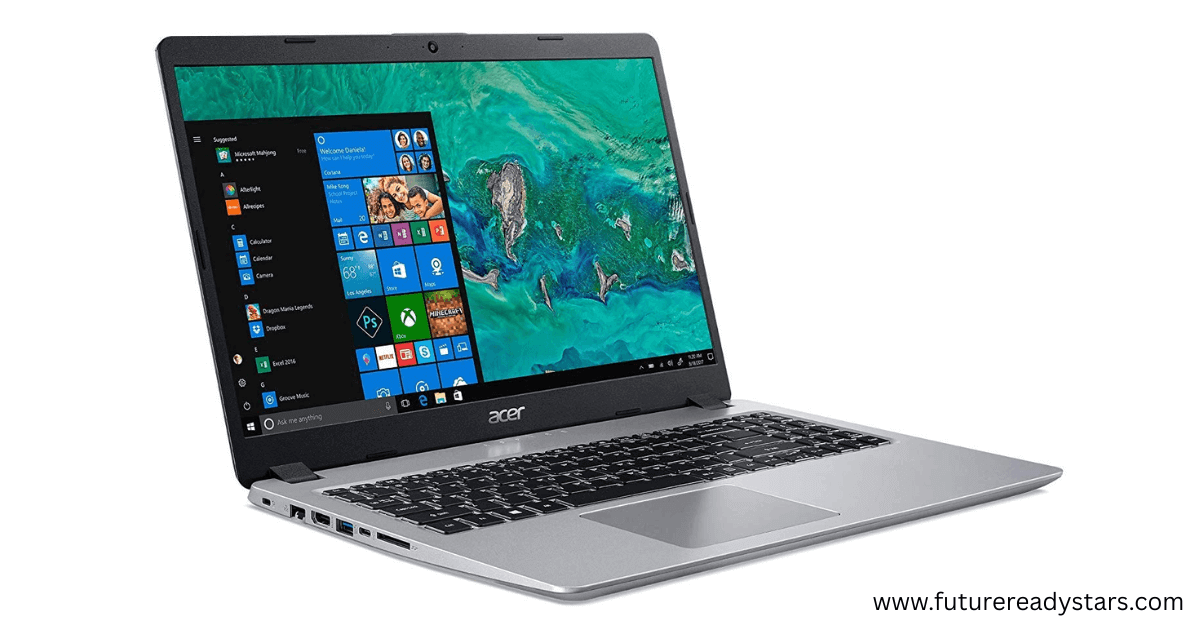
Let’s start with the Acer Aspire series, often the first laptop families buy. I’ve seen Rohan in grade 9 use it for everything: Zoom, Excel, Python practice. It may not look fancy, but it gets the job done without fuss.
✨ Best Features
- 15.6″ FHD display (some “Lite” versions) → good screen size for studying and reading
- Options with Ryzen 3 / Intel i3 processors + SSD storage → fairly good speed for school tasks
- Lightweight designs in pricing band; many versions around 1.6-1.9 kg
- Affordable rate per performance under ₹45,000
✅ Pros
- Very budget-friendly: delivers essentials at lowest cost
- Good keyboard & trackpad for typing assignments
- Enough performance for video classes, browsing, MS Office, and basic programming
❌ Cons
- Build / materials are basic (plastic chassis in most models)
- Speakers / webcam quality tend to be average
- Battery life is good but not exceptional compared to premium models
Perfect for: Engineering students, content creators, those who need graphics processing power
2-in-1 / Chromebooks that students actually buy
9. Lenovo Chromebook Duet / Duet 11 — Student Favourite 2-in-1 Chromebook
Current Price: ~ ₹15,990 for the 8 GB RAM / 128 GB storage version
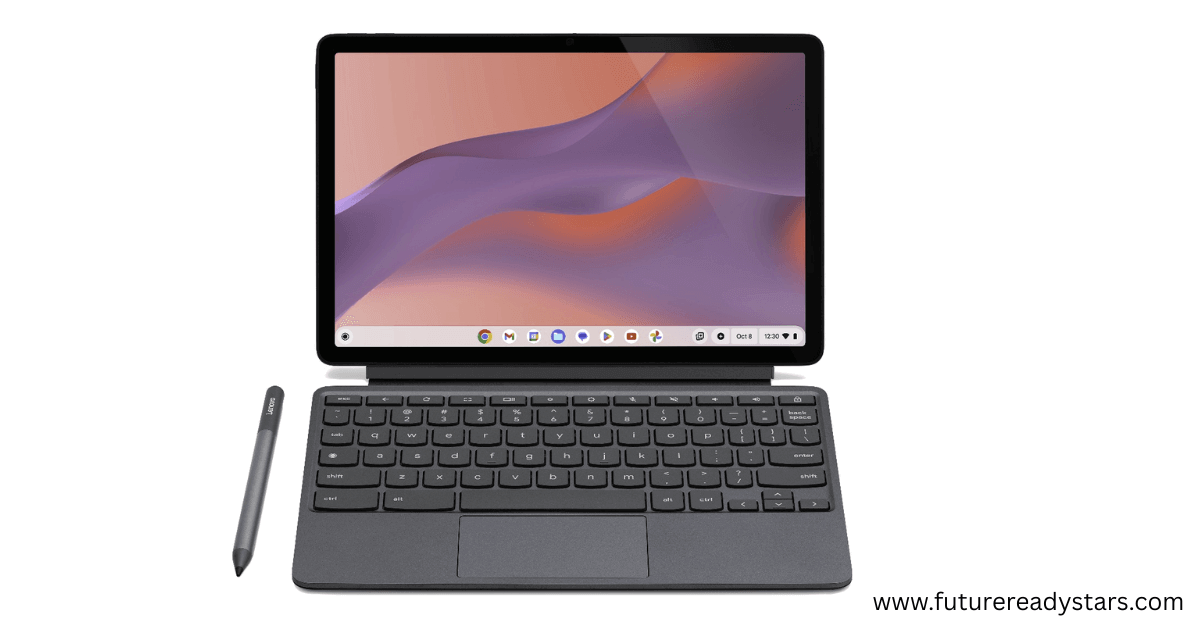
Why Thousands of Students Bought This:
- Many parents say it “handles student work and document editing smoothly despite the price” in customer reviews.
- Frequently shown in Flipkart / Amazon “bestsellers / hot deals” lists, especially during sale events.
✨ Best Features:
- 11-inch WUXGA (1920×1200) touch IPS display (with anti-fingerprint coating) at ~400 nits brightness (enough for indoor study)
- 8 GB RAM + 128 GB storage → good for browser tabs + document apps + light Android/ChromeOS apps
- Very light (~1.1 kg) → easy to carry for school + home study
✅ Pros:
- Excellent value for money — best specs under ₹20,000 when on sale
- ChromeOS = lightweight, fast boot, auto updates
- Great for note-taking, online classes, reading, PDF annotations
❌ Cons:
- Speakers are modest; sound quality for movies/presentations is average
- Keyboard often included in bundle; sometimes not as premium
- Display brightness (~400 nits) struggles outdoors in bright sunlight
Perfect For:
Students who want a portable 2-in-1 for online classes, study notes, and light creative work (visual/creative + moderate typing). Great for middle school or early high school.
10. Microsoft Surface Go 4 — Windows 2-in-1 for Students Who Need Flexibility
Current Price: ~ ₹38,599 (Flipkart listing for 4 GB RAM / 64 GB storage) when available.
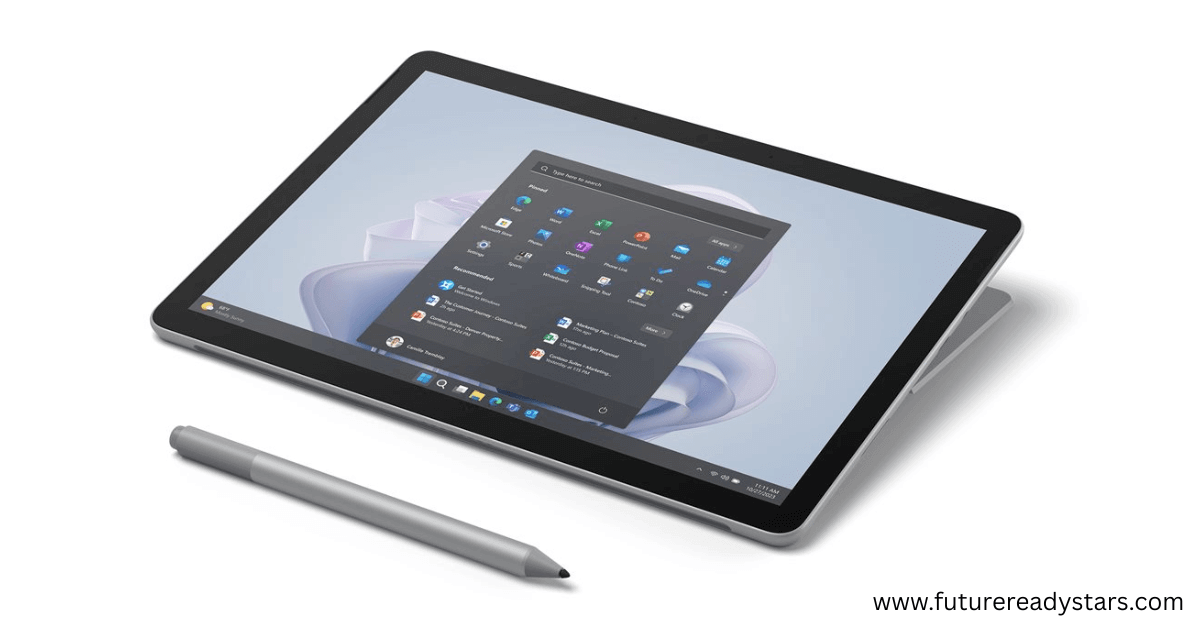
Why Students & Parents Like It:
- Offers Windows desktop experience in a very portable form-factor (10-inch, 0.52 kg) — ideal for students who need “real Windows apps” (Office, file management, etc.) alongside tablet use.
- Positive feedback on build quality, webcam, and portability. Review sites note its premium materials, good screen, very light body.
✨ Best Features:
- 10-inch “PixelSense” touchscreen with touchscreen/writing + built-in kickstand → versatile modes (tablet, tent, laptop)
- Up to ~9 hours video playback / light usage on lower specs; decent battery given its size.
- Guns for strong front + back cameras for video / class capture / online sessions.
✅ Pros:
- Very portable & solid build — carry-friendly for students
- Windows compatibility → runs more software than just browser/apps; good for hybrid learning
- Good screen color & webcam make it better for presentation / video classes
❌ Cons:
- Base model (4 GB RAM / 64 GB storage) is quite limited; lag appears under heavy multitasking
- Accessories like keyboard / pen are usually sold separately → adds cost
- Price to performance isn’t as high as Chromebooks in the budget range; sometimes expensive compared to competitors
🎯 Budget-Specific Recommendations (Based on Real Sales Data)
Under ₹25,000: Smart Starters
Top Seller: Lenovo Tab M11
- Price: ₹18,999 (8GB/128GB)
- Why it’s selling: Budget-friendly options with good RAM dominate due to strict price constraints
- Best for: Elementary students, first device purchase, basic learning needs
₹25,000-₹45,000: Sweet Spot Zone
Top Seller: ASUS VivoBook 15 (i3)
- Price: ₹42,990
- Why it’s selling: Perfect balance of performance and price with included Office suite
- Best for: Middle school to early high school, general productivity
₹45,000-₹65,000: Performance Zone
Top Seller: HP Pavilion 14 (i5)
- Price: ₹52,999
- Why it’s selling: Reliable brand, good performance, excellent keyboard
- Best for: High school students, heavy typing, consistent daily use
₹65,000+: Power User Zone
Top Seller: Lenovo IdeaPad Gaming 3
- Price: ₹64,999
- Why it’s selling: Best performance per rupee with dedicated graphics
- Best for: Engineering students, content creators, future-proofing
🤖 AI Integration: Why This Matters in 2025
Here’s something most guides won’t tell you: Your child’s device needs to work smoothly with AI tools. These aren’t luxury features anymore—they’re becoming essential for education.
AI Tools Student Will Actually Use:
For Elementary (6-11):
- Khan Academy Kids → AI adapts lessons to your child’s pace
- Duolingo → AI conversation practice for language learning
- Prodigy Math → Gamified learning with AI difficulty adjustment
For Middle School (12-14):
- Socratic by Google → AI homework helper for all subjects
- Grammarly → AI writing assistant for essays
- Photomath → AI solves and explains math problems step-by-step
For High School (15-18):
- ChatGPT/Claude → AI research assistants for projects
- GitHub Copilot → AI coding helper for computer science
- Notion AI → Smart note-taking and study organization
Device Requirements for AI:
- 8GB RAM minimum → Most AI apps need this for smooth operation
- Good internet connectivity → 4G/5G support essential
- Updated operating system → Latest AI apps need current OS versions
Also read: Best AI Subscription Plans for Students 2025: ChatGPT, Claude, Gemini, Perplexity & Grok Compared🧠 Subject-Specific Best Sellers
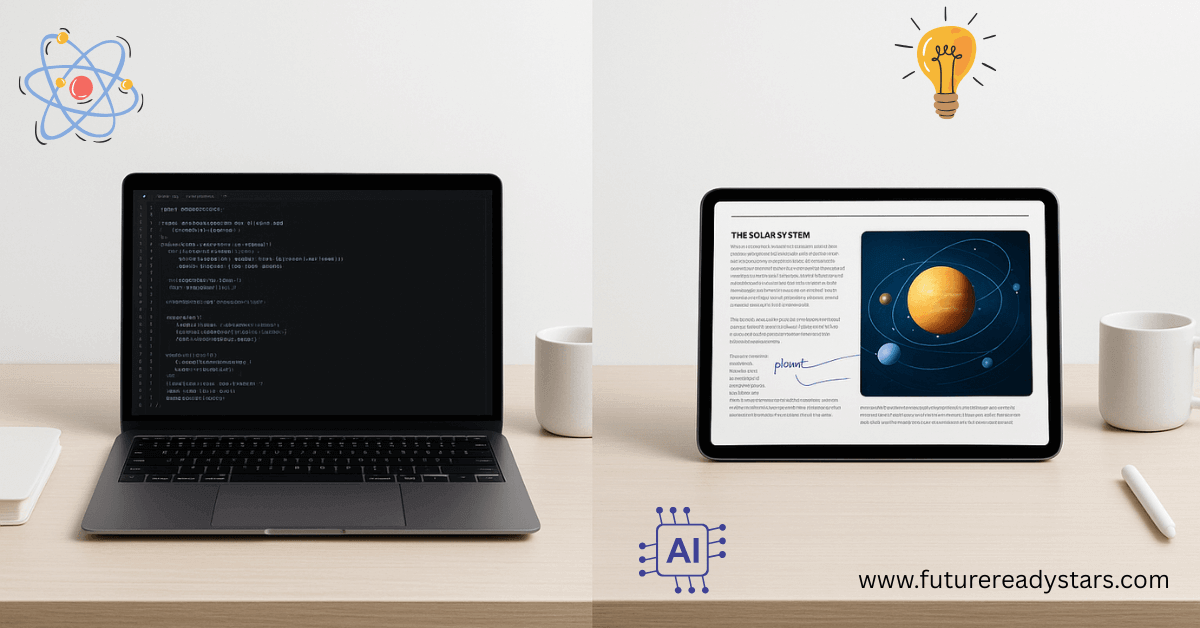
STEM Students (Math, Physics, Engineering)
Most STEM students lean toward the Lenovo IdeaPad Gaming 3 or HP Pavilion 14. These laptops are popular because they handle coding, simulations, and heavy tools like MATLAB, Python, and CAD software. For beginners, the HP Pavilion 14 is a smart starting point, while the Gaming 3 is worth the upgrade if you need more processing power.
Creative Students (Art, Design, Media):
Artists and design students usually go for the Apple iPad (9th Gen) or the Samsung Galaxy Tab A9+. Both have stylus support, color-accurate displays, and access to apps like Procreate and Adobe Creative Suite. The iPad is a top choice for professionals, while the Tab A9+ gives nearly the same creative experience at a lower cost.
Liberal Arts (Literature, History, Languages):
For reading, writing, and research, the ASUS VivoBook 15 and HP Pavilion 14 stand out. They’re loved for their comfortable keyboards, sharp displays, and built-in Office suite. The VivoBook 15 is particularly attractive for budget-conscious students thanks to its lifetime Office license.
Commerce & Business Studies:
Shreya, studying commerce, chose the HP Pavilion 14 because it looks professional during online presentations. She practices Excel formulas for accounts, creates impressive PowerPoint presentations, and even started a small online business managing social media for local shops using Canva and Meta Business Suite. The laptop’s reliability means she never misses client deadlines due to technical issues.
Also Read: ChatGPT-5 Study Mode vs Claude Learning Mode: I Tested Both for 30 Days (Honest Results)💡 Tutor’s Pro Tips for Smart Buying (2025 Market Insights)
Best Buying Times Based on Sales Data:
Best Buying Times:
Students and parents save the most during August–September back-to-school sales (up to 40% off) and the October–November Amazon Freedom Festival, which often drops premium laptops into mid-range budgets with 28–45% discounts. December–January clearance sales can be good too, but stock is limited. Try to avoid March–July, when post-festival prices climb and discounts are minimal.
Where to Buy:
On Amazon India, you’ll find the widest selection and the most reliable reviews, while Flipkart usually wins on exchange offers and EMI flexibility. Brand stores are safer for warranty clarity and the latest models, whereas offline shops help build service relationships but often charge higher prices.
What Students Really Care About (from reviews):
Parents and students consistently prioritize battery life (8+ hours) over raw performance. Bundled software like MS Office is often a deal-maker, while a strong local service network gives parents peace of mind. Interestingly, most reviews show that durability outweighs premium looks—students want sturdy, reliable machines over flashy builds.
Online Dominance (75% of sales):
- Amazon India: 45% market share, best customer service
- Flipkart: 25% market share, competitive EMI options Brand
- websites: 5% market share, latest models first
Also read: Google AI Pro Free for Students 2025: Get $240 Worth of AI Tools🎯 The Bottom Line
Your child’s academic success in 2025 depends on having a device that works seamlessly with AI-powered learning tools. The devices I’ve recommended aren’t just popular—they’re proven by thousands of Indian families.
My top picks:
- Best starter: Lenovo Tab M11 (₹18,999)
- Best value: ASUS VivoBook 15 (₹42,990)
- Best reliability: HP Pavilion 14 (₹52,999)
- Best future-proofing: iPad 9th Gen (₹29,900)
Remember: The best device is the one your child will actually use for learning. Choose based on their needs, not the latest trends.
Note: Before buying, check current deals on Amazon/Flipkart (prices often drop 20–30% during sales).
Also explore: More practical guides at FutureReadyStars.com for AI study tips and device setup tutorials.

My name is Asheesh Kumar i am a dedicated educator and have a deep understanding of artificial intelligence, I aim to transform traditional learning methods by integrating cutting-edge technology and AI-driven tools into education. As a teacher and personal tutor, I have the privilege of working with many students and understanding their individual strengths and weaknesses. With this insight, I know how to help each student overcome their challenges and improve their skills. Understanding each student’s unique learning style and needs allows me to tailor lessons that maximize their potential. This holistic approach not only boosts academic performance but also builds confidence and a lifelong love for learning.
Usually I do not read article on blogs however I would like to say that this writeup very compelled me to take a look at and do it Your writing style has been amazed me Thank you very nice article
Your blog is a testament to your expertise and dedication to your craft. I’m constantly impressed by the depth of your knowledge and the clarity of your explanations. Keep up the amazing work!
Magnificent beat I would like to apprentice while you amend your site how can i subscribe for a blog web site The account helped me a acceptable deal I had been a little bit acquainted of this your broadcast offered bright clear idea