
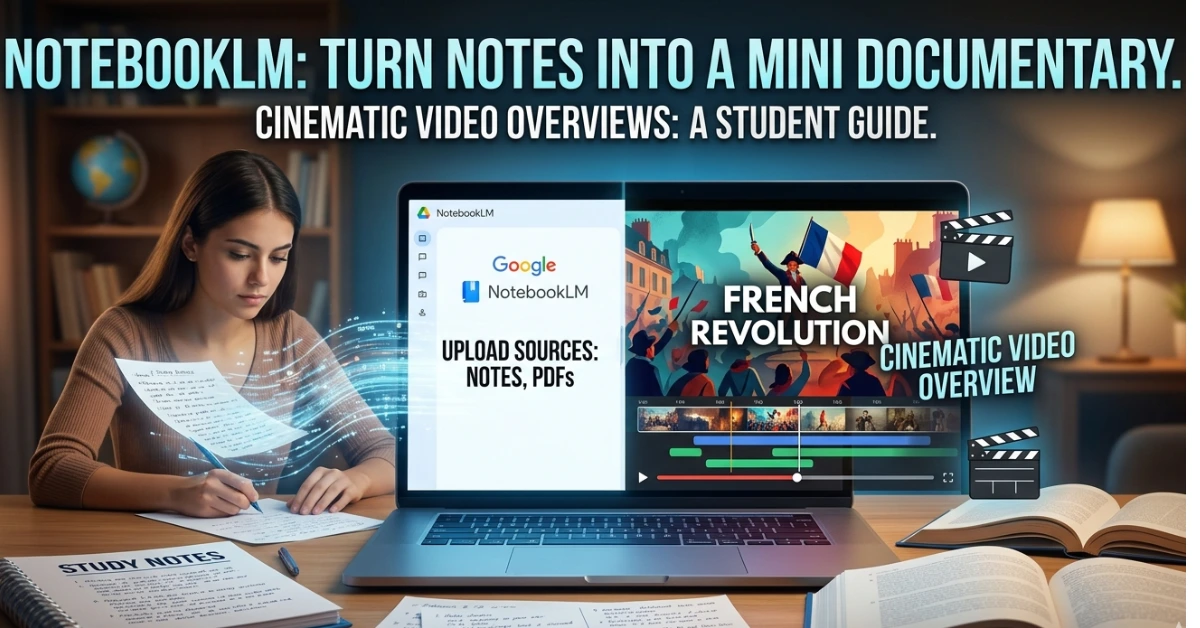
Imagine this.
You upload your messy class notes, a PDF of your textbook chapter, and a few lecture slides.
Five minutes later, an AI turns them into a short cinematic documentary explaining the topic with visuals, narration, and structured concepts.
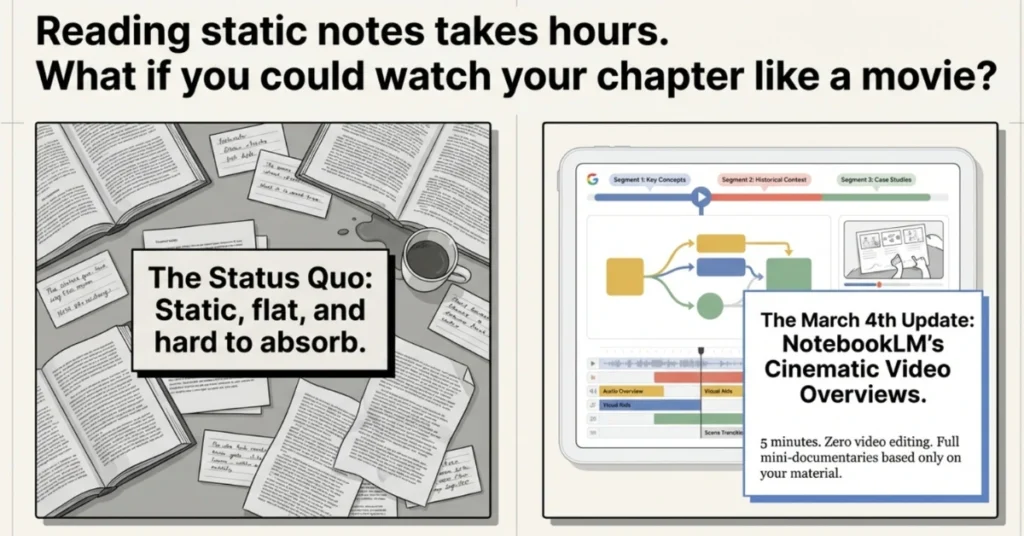
Google’s NotebookLM recently introduced a new feature called Cinematic Video Overviews, and most students still don’t know it exists. But for those who discover it early, it could completely change how revision works.
Instead of rereading notes for hours, you can literally watch your chapter like a mini educational film.
Let’s break down what this feature actually does, how students can use it, and why it might become one of the most powerful AI study tools in the next few years.
Also Read: How to Use NotebookLM to Convert NCERT Books into Audio Podcasts for Exam RevisionWhat NotebookLM Actually Is (If You’ve Never Used It)
NotebookLM is Google’s AI research tool that works differently from ChatGPT or Gemini. Those tools pull from everything they’ve ever been trained on. NotebookLM only uses what you give it — your PDFs, your notes, your textbooks, your lecture slides. Nothing else.
That matters because when it generates something, it’s grounded in your actual material. Not hallucinated. Not generic. Yours.
It already had a popular “Audio Overview” feature — where two AI hosts would have a podcast-style conversation about your notes, which students used for passive studying on commutes. That alone changed how a lot of people revised.
This new NotebookLM Cinematic Video Overview feature is a whole different level.
What NotebookLM’s Cinematic Video Overview Actually Does
Instead of only generating summaries or flashcards, NotebookLM can now produce a short animated, narrated video built entirely from your uploaded study material.
Think of it as: your notes + AI storytelling + educational animation — compressed into a few minutes of video you’ll actually want to watch.
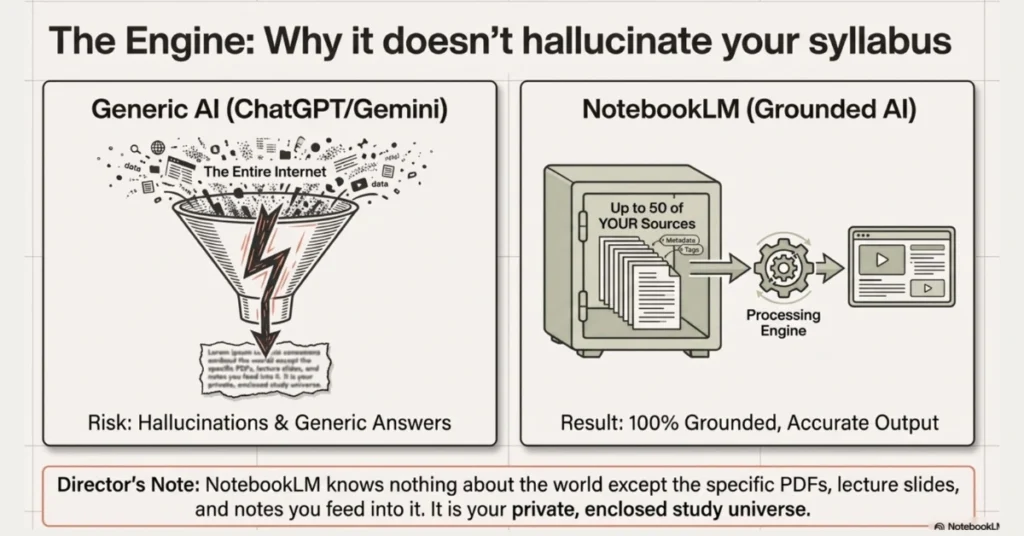
It reads your sources, figures out the narrative structure, writes the narration, and generates the visuals automatically. If your notes cover Organic Reaction Mechanisms, it doesn’t give you a generic chemistry video from YouTube. It gives you a video about your notes, using your terminology, your examples, your chapter structure.
That’s the thing that makes this genuinely different.
How Students Can Use It (Step-by-Step)
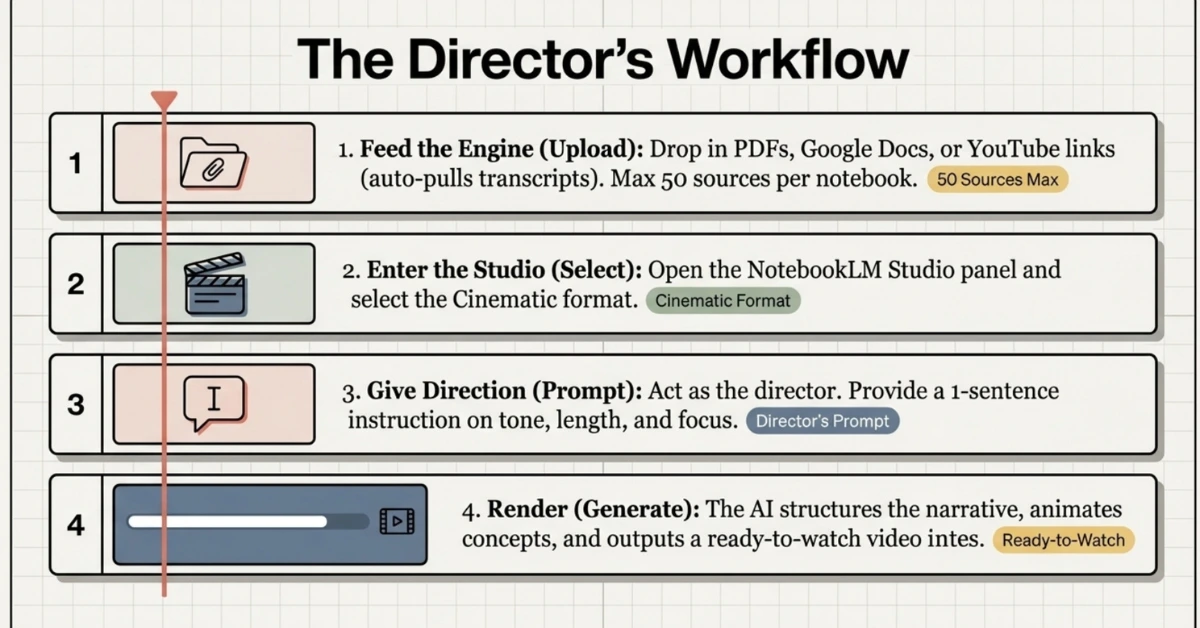
This is simpler than you’d expect.
Step 1: Prepare Your Sources
Go to notebooklm.google.com and create a new notebook. Upload your sources. You can add PDFs, Google Docs, paste in text, drop a YouTube link (it pulls the transcript automatically), or add web articles. You can upload up to 50 sources per notebook.
Step 2: Open the Studio Panel
Inside NotebookLM you’ll find a Studio or creation panel where different content formats can be generated.
This is where the cinematic overview option appears.
Once selected, you can provide a short instruction describing what kind of explanation you want.
For example:
“Create a 3-minute cinematic explanation of the causes of World War I with a timeline and key events.”
Step 3: Add a Direction Prompt
This step makes a big difference.
Instead of leaving the AI completely open-ended, guide it like a director.
Students often write prompts like:
• “3 minute revision video for Class 12 Chemistry equilibrium with formulas and examples.”
• “Short visual explanation of supply and demand curves for economics exam prep.”
• “Timeline documentary explaining the French Revolution.”
These instructions help the system choose what information to highlight.
Step 4: Generate the Video
After submitting the request, the AI analyzes the uploaded sources and generates the cinematic overview.
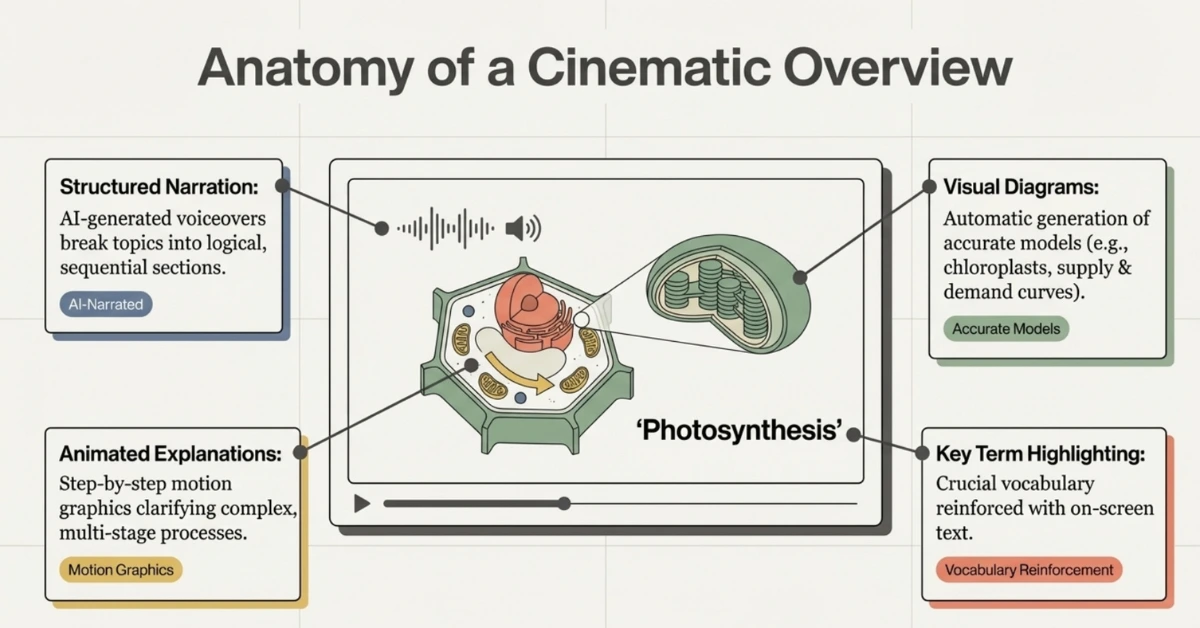
The result usually includes:
- structured narration
- visual diagrams
- animated concept explana` tions
- organized sections of the topic
Generation typically takes a few minutes.
Once it finishes, you can watch the video directly inside NotebookLM.
A Smart Way Students Are Using It for Exam Revision
One particularly effective strategy is something students call the 3-minute revision method.
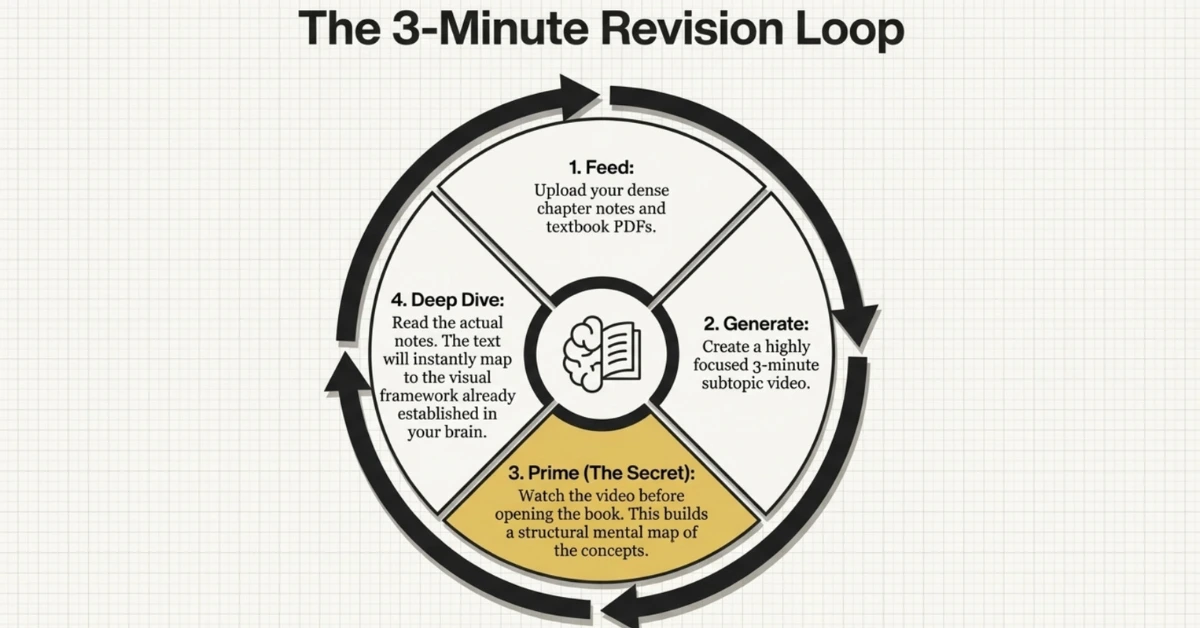
Here’s how it works.
For every chapter:
- Upload notes and textbook pages into NotebookLM
- Generate a short cinematic overview
- Watch the video once before starting revision
- Read the notes again afterward
The video acts like a mental map of the chapter.
By the time you read the text again, the structure of the topic already makes sense.
Some students even create multiple micro-videos for different subtopics.
For example:
Physics chapter:
• Electric field explanation
• Potential difference concept
• Capacitor formulas
Each becomes its own short visual revision clip.
The Pricing — Let’s Be Honest About This
Most articles either hide the pricing or make it sound worse than it is. Here’s the full picture:
The cinematic upgrade builds on NotebookLM’s earlier audio and video overview features.
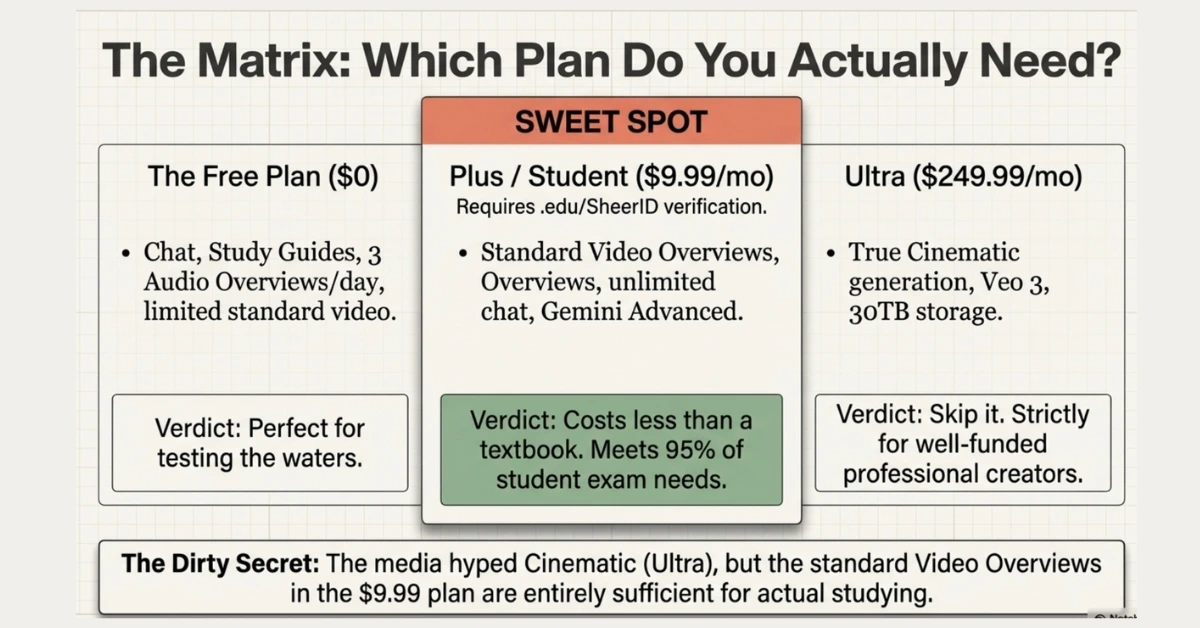
Free Plan — ₹0 / $0 You get 50 chat queries per day, 3 audio overviews, and limited video overview access. Cinematic Video is not included on the free plan. But the standard features — chat with your notes, study guides, quizzes, audio overviews — are still genuinely useful.
Google AI Pro / NotebookLM Plus — $19.99/month This is where the real power lives for most students. It includes NotebookLM Plus, Gemini Advanced, AI features in Gmail and Docs, and 2TB of Google storage. You get standard Video Overviews (not Cinematic, but still very good), expanded notebook limits, and better citation tools.
The student discount: If you’re 18 or older and enrolled in a college or university, you can get this at $9.99/month — 50% off — for your first year. You verify through a service called SheerID, which just checks your .edu email or student ID. India is supported. So is the UK, US, most of Europe, and several other countries.
Google AI Ultra — $249.99/month This is where Cinematic Video Overviews live at launch. It also includes Gemini 3 Deep Think, Veo 3, a video editing tool, and 30TB of storage. This is not a student plan. This is for professionals and creators with a budget. Skip it unless money genuinely isn’t a concern.
The honest verdict on pricing: The $9.99 student plan is the sweet spot. You get standard Video Overviews, audio overviews, unlimited chat with your notes, study guides, and quizzes. That’s a lot for less than a textbook costs per month.
Also Read: Best AI Subscription Plans for Students 2025: ChatGPT, Claude, Gemini, Perplexity & Grok ComparedPrompt templates (student-ready — paste & tweak)
Use these directly in the “add prompt” box:
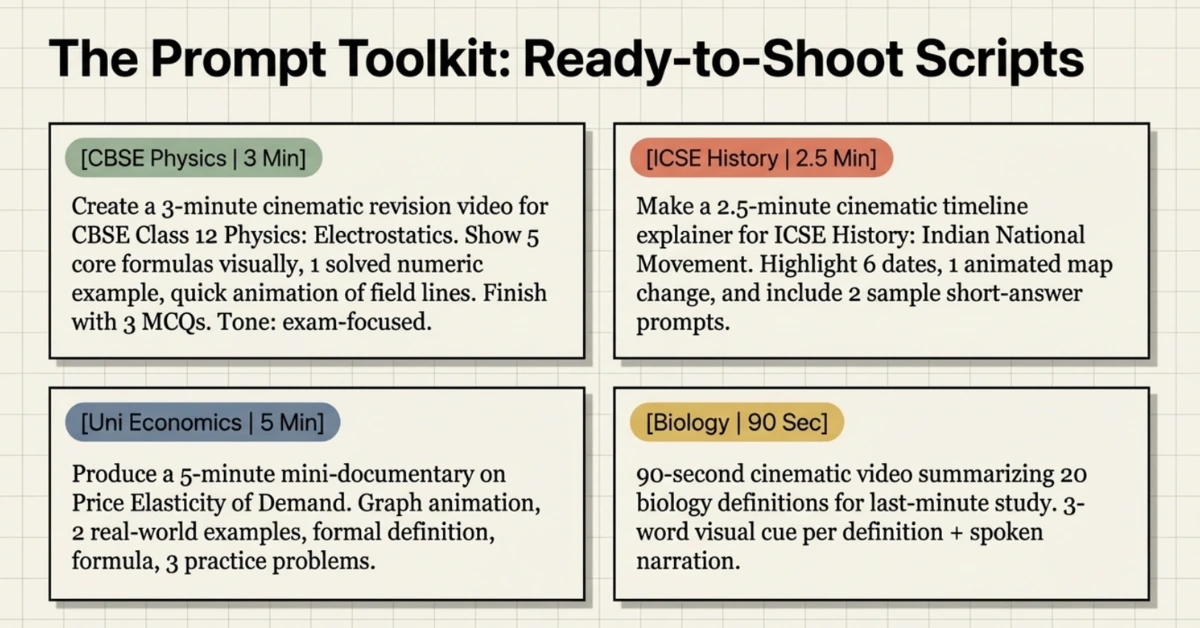
- CBSE quick revision (3 min)
"Create a 3-minute cinematic revision video for CBSE Class 12 Physics — chapter: Electrostatics. Show 5 core formulas visually, one solved numeric example, a quick animation of field lines, and finish with 3 two-option MCQs for self-testing. Tone: exam-focused, concise." - ICSE essay timeline (2.5 min)
"Make a 2.5-minute cinematic timeline explainer for ICSE History: Indian National Movement (1905–1947). Highlight 6 dates, one animated map change, and include 2 sample short-answer prompts." - University concept explainer (5 min)
"Produce a 5-minute cinematic mini-documentary on 'Price Elasticity of Demand' with a graph animation, 2 real-world examples, formal definition, formula, and 3 quick practice problems (answers at the end)." - Language/definitions flash-video (90 sec)
"90-second cinematic video summarizing 20 important biology definitions for last-minute study; each definition shown with a 3-word visual cue and spoken narration."
Also Read: 50 Best AI Prompts for Students: From Study Notes to Essay Writing (2025)A Few Things It Can’t Do (Be Aware)
No tool is perfect. Here’s what NotebookLM can’t do right now:
English only at launch — Cinematic Video Overviews are English-only for now. Audio Overviews support more languages, but the cinematic feature doesn’t.
No editing after generation — Once the video is made, you can’t tweak it. You’d have to regenerate with a new prompt. It’s not a video editor.
Free plan watermarks — Free users can’t remove watermarks from generated outputs.
No offline mode — You need internet. It’s fully cloud-based.
Is It Actually Worth It For Students?
Here’s the real talk: if you’re a visual learner who struggles to absorb information through reading alone, this is probably the most useful thing to happen to studying in the last two years. The ability to upload your own course material and get a video explanation built from that material — not from generic internet content — is genuinely new.
If you’re on a budget, the free plan’s study guide and audio overview features are already worth the signup. If you can stretch to $9.99 a month as a student, the Plus plan gives you enough to make a real difference during exam season.
The $249 Cinematic plan? Leave that one for now. Standard Video Overviews do the job for 95% of student use cases.
The Bottom Line
Your notes have always been your best study tool. The problem was they were just sitting there — static, flat, boring to re-read. NotebookLM Cinematic changes the relationship between you and your own material.
You did the work of taking the notes. Now let the AI turn them into something you’ll actually want to watch.
Go to notebooklm.google.com. It’s free to start. You literally have nothing to lose.
And if you’re curious about how AI is reshaping education, explore more guides here on FutureReadyStars.com — where we break down new AI tools in simple language for students, parents, and teachers.